
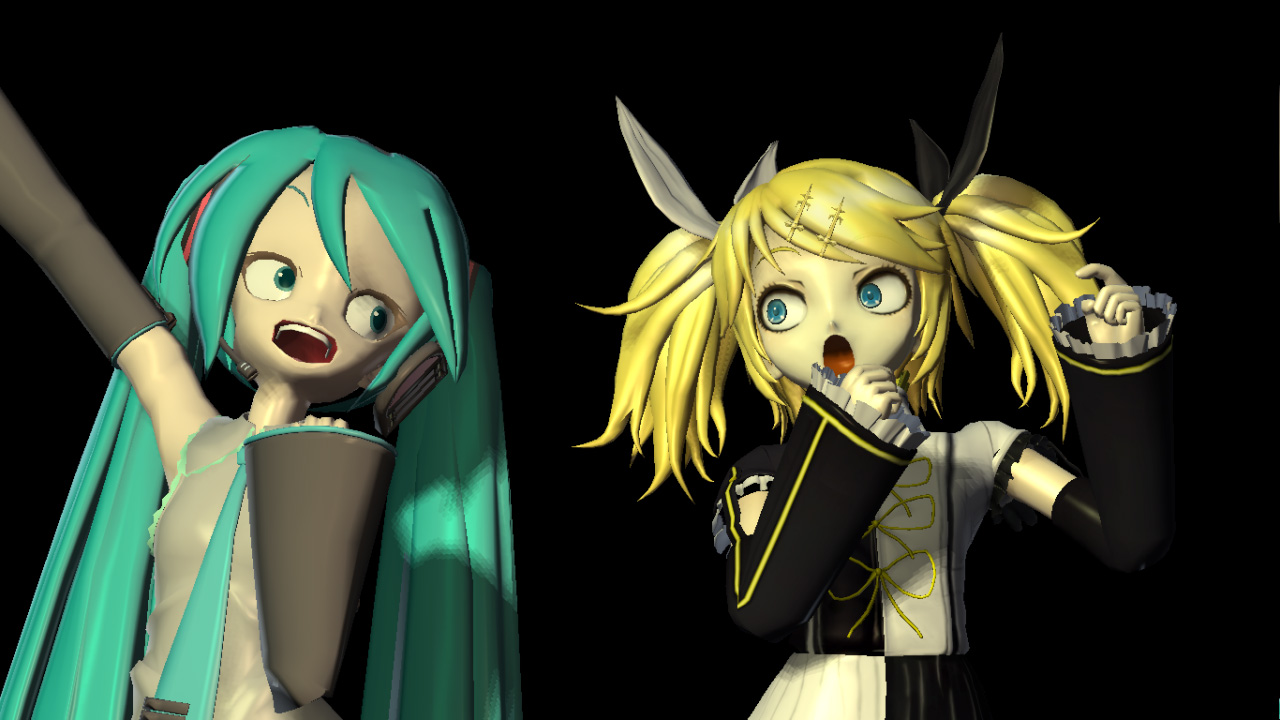
This page summarizes how to modify MMD (MikuMikuDance) models. It includes information on how to add bones, change the color of a model, add facial expressions, and make a model glow. It also includes an explanation site for beginners.
On modifying MMD models
Please read the "Terms and Conditions" attached to the distributed models carefully, and only modify models with "Modification Permission".
Do not cause trouble for modelers by violating the terms and conditions.
When modifying a model, it is recommended that you make a backup of the original file.
Download "PMX Editor
Download the MMD model modification tool "PMX Editor" from the author's website "To Aru Kobo".
The latest version of PMX Editor is preferable, but if your machine spec is not sufficient, there is an older version of PMD Editor available for download.
A certain workshop
kkhk22.seesaa.net
To download the "PMX Editor
Download" from "Category" -> "Download" in the menu on the left side.
VPVP wiki - How to use the PMD editor
www6.atwiki.jp
PMD Editor's Book for Mr. P Introduction to MikuMikuDance Model Setup
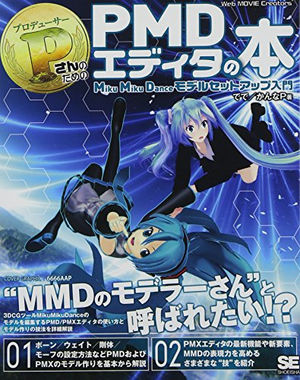
Source: www.amazon.co.jp
PMD Editor's Book for Mr. P Introduction to MikuMikuDance Model Setup
The book is titled PMD Editor, but in terms of content, it introduces the PMX editor in considerable detail.
It is recommended as a manual to master the PMD/PMX editor.
Large size book: 240 pages
Publisher: Shoeisha (2013/8/22)
Language: Japanese
isbn-10: 4798130656
isbn-13: 978-4798130651
Release Date: 2013/8/22
Price: 2,786 yen
[MikuMikuDance]PMD Editor Course: Basic Operations
www.nicovideo.jp
A video on how to use the PMD editor, the predecessor to the PMX editor.
You will learn some things that are not different from the PMX editor.
MMD/MMM] PMD to PMX Editor Function Introduction
www.nicovideo.jp
It introduces the features implemented in the PMX editor.
Set plug-ins in the PMX editor
Basically, you can use the functionality by putting the downloaded file (.dll file) into the Plugin folder of the PMX editor.
Please read and follow the "Readme" and other instructions attached to the downloaded file for details on how to use each plug-in.
Adding bones to a model
By adding bones to a model that is not equipped with bones, you can move the distributed motion.
Many plug-ins have been developed so that even beginners can easily use them, so set up the ones you need for the motion you want to move.
How to add a quasi-standard bone
MMD] Introduction of plug-ins for adding semi-standard bones [PMDE].
www.nicovideo.jp
↑upThe latest version of the plug-in has more types of additional bones than the video above.
Finger Grip Diffusion Bone Addition Plug-in for PMX
Finger grip: Bone that allows the fingers to be folded or extended
Finger spread: bones that allow you to open and close the space between fingers
and add a "~Finger 1 Bone to bend the whole finger" checkbox around the tip of the middle finger.
If you check the box "Bend the entire finger with one finger bone," you can bend all the joints of that finger with one finger bone.
Finger 1 bone can bend all the joints of the finger.
Source: www.paperguitar.com
↑You can download it from the link of the source up.
Changing the height of the model (resizing)
If you put several characters together and the height difference is not what you expected,
You can change the height (size).
1. load the model you want to change into the PMX editor. 2.
2) Click on the menu "Edit" -> "Plug-in" -> "System
→2. go to the menu "Edit" -> "Plug-in" -> "System" -> "Resize" and change the size of the model.
If you want to make it smaller, make it smaller than 1.0; if you want to make it larger, make it larger than 1.0.
MMD] Plug-in for PMDEditor - Height measurement and modification of models
seiga.nicovideo.jp
This plugin measures and changes the height of models in PMDEditor.
↑upHere is an easy way to change the height.
I want to add facial expressions to the model (e.g., wink, etc.)
MMD] PMD Editor Lecture: Creating Facial Expressions (Hand-Cut)
www.nicovideo.jp
He explains how to create facial expressions.
Also how to make a wink.

Related Articles
In-depth summary of KAFU/KAFU (VOCALOID)
KAFU is a vocal sound source and character for desktop music (DTM) and voice synthesis software, planned by the creative label KAMITSUBAKI STUDIO and produced by CeVIO, a company consisting of several companies in Nagoya, using its own voice synthesis software "CeVIO AI". It is a type of vocal sound source and character created by "CeVIO AI," a company owned by several Nagoya companies. Its official name is "Musical Isotope KAFU," and it became a hot topic because it was created based on the voice of "Hanafu," a popular virtual YouTuber belonging to KAMITSUBAKI STUDIO.
Read Article

In-depth summary of IA (VOCALOID)
IA is a character and a type of voice synthesizer for desktop music (DTM) released by 1st PLACE, a company that plans, develops, and sells music, videos, software, etc. It is based on the voice of Lia, an artist belonging to 1st PLACE. The voice was created based on the voice of Lia, an artist belonging to 1st PLACE. In addition to being a voice synthesizer, Lia is also involved in various activities as a "virtual artist" belonging to 1st PLACE, such as being involved in the virtual space project "Virtual Planet HABINA".
Read Article
In-depth summary of GUMI (VOCALOID)
GUMI is a type and character of vocal sound source for voice synthesis software and desktop music (DTM) released by Internet, a company that develops and sells DTM and other software. It was created as a vocal sound source compatible with VOCALOID (commonly known as Vocaloid), a speech synthesis system developed by Yamaha. Its official name is "Megpoid" and GUMI is a nickname. Based on the voice of Megumi Nakajima, a voice actress and singer, GUMI was created with the aim of creating a "human-like voice.
Read Article

In-depth summary of Hatsune Miku (VOCALOID)
Hatsune Miku is a vocal sound source and character for desktop music (DTM) and voice synthesis software released by Crypton Future Media (commonly known as Crypton), a company that develops and sells music production software. The character is based on the voice of Saki Fujita, a voice actress, and is compatible with VOCALOID, a voice synthesizer developed by Yamaha. The software was the catalyst for the VOCALOID boom in Japan, and is one of the most popular VOCALOID characters.
Read Article

In-depth summary of KAITO (VOCALOID)
KAITO is a character and a type of vocal sound source for voice synthesis software and desktop music (DTM) released by Crypton Future Media (commonly known as Crypton), a company that develops and sells music production software. It was created as a vocal sound source compatible with VOCALOID (commonly known as Vocaloid), a voice synthesizing system developed by Yamaha. It is a male-voiced vocaloid created based on the voice of studio musician Naoto Fuuga, and is suitable for a variety of music genres.
Read Article

In-depth summary of v flower (VOCALOID)
v flower is a character and a type of vocal sound source for voice synthesis software and desktop music (DTM) released by GAINOID, a label that discovers and fosters the next generation of artists, mainly vocaloids. It was created as a vocal sound source compatible with VOCALOID (commonly known as Vocaloid), a speech synthesis system developed by Yamaha. The character's name is "flower. Her nickname is "flower-chan. It was created as a vocaloid with a powerful, neutral female voice specializing in rock. The provider of the voice is undisclosed.
Read Article
In-depth summary of Kagamine Rin/Len (VOCALOID)
Kagamine Rin/Len is a character and a type of vocal sound source for desktop music (DTM) and voice synthesis software released by Crypton Future Media, a company that develops and sells music production software. It is based on the voice of voice actress Asami Shimoda, and is a vocal sound source compatible with VOCALOID (commonly known as Vocaloid), a voice synthesis system developed by Yamaha. It was produced after Hatsune Miku, which triggered the Vocaloid boom, and sold 20,000 copies in about seven months.
Read Article

In-depth summary of Shigen Teto (VOCALOID, UTAU, Virtual Idol)
Kasane Teto is a virtual idol character that originated on "2channel," one of Japan's largest electronic bulletin boards, and a type and character of vocal sound source for voice synthesis software and desktop music (DTM) created based on the character. It is a derivative of the voice synthesizing software "VOCALOID" (commonly known as "vocaloid"), and was created as a free voice synthesizing software "UTAU" for singing. The voice is based on multi-creator Mayo Oyamano.
Read Article

In-depth summary of MEIKO (VOCALOID)
MEIKO is a vocal sound source and character for desktop music (DTM) and voice synthesis software released by Crypton Future Media (commonly known as Crypton), a company that develops and sells music production software. It was the first vocal sound source compatible with VOCALOID (commonly known as Vocaloid), a speech synthesis system developed by Yamaha. Based on the voice of singer-songwriter Meiko Higo, the software is suitable for a variety of music genres.
Read Article

In-depth summary of Luka Megurine (VOCALOID)
Luka Megurine is a character and a type of vocal sound source for voice synthesis software and desktop music (DTM) released by Crypton Future Media (commonly known as Crypton), a company that develops and sells music production software. It was created based on the voice of voice actor Yu Asakawa, and is a vocal sound source compatible with VOCALOID, a voice synthesizing system developed by Yamaha, and is the first VOCALOID software to support both Japanese and English.
Read Article
In-depth summary of Kamui Gakupo (VOCALOID)
Kamui Gakupo is a type and character of vocal sound source for voice synthesis software and desktop music (DTM) released by Internet, a company that develops and sells DTM and other software. It was created as a vocal sound source compatible with VOCALOID (commonly known as Vocaloid), a speech synthesis system developed by Yamaha. Its official name is "Gakudyokido. Kamui Gakupo is the name of the character. It was created based on the voice of singer GACKT (Gakuto). It is also the first vocaloid software and character created by an Internet company.
Read Article
In-depth summary of OTOMACHI UNA (VOCALOID)
Una Otomachi is a character and a type of vocal sound source for voice synthesis software and desktop music (DTM), created by the CG and character design company "MTK" and published by "Internet" Inc. It was created as a vocal sound source compatible with Yamaha's VOCALOID (commonly known as Vocaloid) voice synthesis system. The voice was created based on the voice of voice actress Aimi Tanaka, and later software was developed for speech using "AITalk" developed by A.I. Corporation.
Read Article

In-depth summary of Yukari Yuzuki (VOCALOID)
Yukari Yuzuki is a type and character of vocal sound source for voice synthesis software and desktop music (DTM) produced and released by AH-Software, a company that develops and releases PC software planned by the VOCALOMAKETS, a VOCALOID production team comprised of vocaloid Ps. A vocal sound source and character for DTM (desktop music). The software is compatible with VOCALOID, a speech synthesis system developed by Yamaha Corporation, and AI Talk, developed by A.I. Corporation. The voice is by Chihiro Ishiguro, a voice actress.
Read Article
In-depth summary of MAYU (VOCALOID)
Mayu is a type of vocal sound source and character for the voice synthesizer software Desktop Music (DTM) released by EXIT TUNES, a music label operated by Pony Canyon Inc. It is the only vocal sound source and character released by EXIT TUNES.
Read Article

In-depth summary of Lily (VOCALOID)
Lily is a type and character of vocal sound source for voice synthesis software and desktop music (DTM) released by Internet, a company that develops and sells DTM and other software. It is a vocal sound source compatible with the VOCALOID (a.k.a. Vocaloid) voice synthesis system developed by Yamaha, and was originally created as the image character for the anime song cover album "anim.o.v.e." The voice is based on the voice of the music group "m.o.v.e.," which is a Japanese word for "animation. The voice is based on yuri, vocalist of the music group m.o.v.e.
Read Article

In-depth summary of Koharu Rokka (VOCALOID)
Koharu Rokka is a character created by "TOKYO6 ENTERTAINMENT," a joint venture company that plans and produces text-to-speech software with characters and produces and sells goods related to music, as part of its first "Character Project. The project was funded through crowdfunding. Funds were raised through crowdfunding, and the software was released as software compatible with both the speech creation software "CeVIO AI" and the singing voice synthesis software "SynthesizerV". The voice was based on the voice actor Yoshinoh Aoyama.
Read Article
The diva that landed on the track! A look back at the successive generations of Hatsune Miku "Racing Miku" with figures!
Hatsune Miku is a symbol of pop culture that has become famous from the world of the Internet. The Miku Hatsune, who is active in a variety of scenes, has been landing on circuits as the official mascot of a racing team! This time, we would like to introduce you to the figure of "Racing Miku," who has been shining on the circuit every year since her appearance!
Read Article
Spoiler commentary and discussion of the Hatsune Miku -Project DIVA- series (game)
Hatsune Miku -Project DIVA-" is a music game series developed by Sega and Sega Interactive. DIVA" is the word for "diva," and the concept of the game is to play as if the electronic diva "Hatsune Miku" were singing, allowing players to enjoy an exhilarating rhythm game. Players press the designated buttons in time with the song to clear the track and achieve a high score.
Read Article
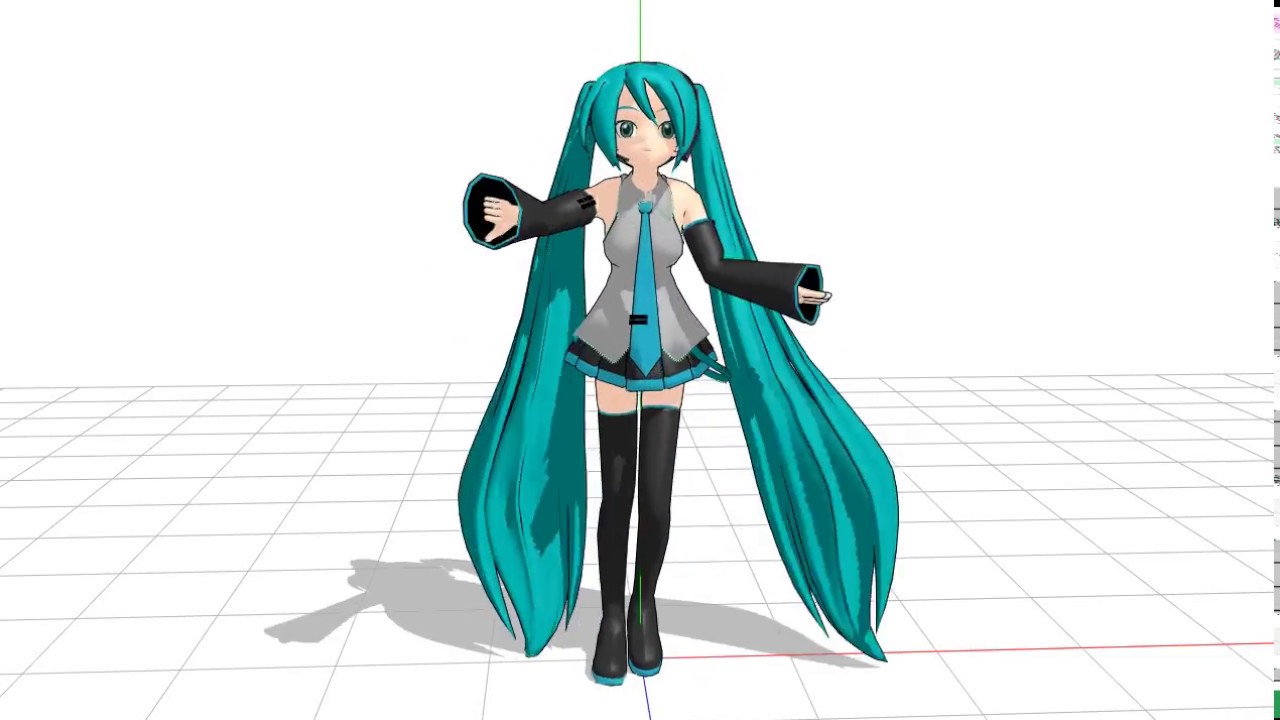
How to start MMD & how to use it! Includes instructional videos and more for beginners! MikuMikuDance
MMD (MikuMikuDance) is a free 3DCG movie production tool developed by Masaru Higuchi aka "Higuchi M" and released free of charge on his website "VPVP (Vocaloid Promotion Video Project)". MMD is a free 3DCG movie production tool developed by Masaru Higuchi, a.k.a. "Higuchi M." and released for free on his website, VPVP (Vocaloid Promotion Video Project). This article is recommended for those who want to learn how to use MMD and contribute videos to Nico Nico Douga.
Read Article
Summary of how to modify MMD models! A must-see for those who want to make their models look the way they want them to look! MikuMikuDance
Here is a collection of how to modify MMD models. We show you how to attach accessories, put on bunny ears, add tattoos, change clothes, and more. If you would like to customize the appearance of your models to your own liking and create your own original videos, please refer to this section.
Read Article

A compilation of recommended Vocalo Jazz songs! Includes 24 large-volume tracks! [JAZZ
There are various music genres in the world of Vocaloids, and this article introduces jazz music from among them. This article introduces 24 songs with music videos, including "Miracle Paint," "Gossip," and "Bathroom Garden," so those interested in vocaloid and jazz music should definitely check them out.
Read Article

VOCALOID Songs with Cherry Blossom Theme! 10 recommended songs that give you a sense of harmony! Cherry Blossom Season
A collection of Japanese-style VOCALOID songs with a cherry blossom theme. Listed here are 10 songs with a Japanese feel, including "Sakura no Season," a song about goodbye, and "Sakura Zensen Anomaly Nashi," a cool Japanese-style rock song. For each song, we will introduce the video of the original singer and the video link of the recommended singer.
Read Article

Have we reached the SEKAI NO OWARI of the music industry? VOCALOID "Fukase" is the real deal.
Hatsune Miku, Kagamine Rin-Rin, KAITO, and Megurine Luka...... have established themselves as "artists" in Japan and are growing in popularity, and it is said that Vocaloids will further enter the music industry through their activities as artists, including appearances in Kohaku Vocaloid has already established itself as an "artist" in Japan and is growing in popularity. In the midst of all this, that artist has become a Vocaloid. What does that mean? You may be thinking, "What does that mean?" But anyway, you will be surprised when you see the reference video.
Read Article

A compilation of inspiring Vocaloid songs [from Paprika and First Steps].
Here we have compiled a list of inspiring Vocaloid songs that will naturally bring tears to your eyes when you hear them. The songs range from covers such as "Paprika" by Yonezu Genshi and "Kimi no Shiranai Monogatari" by supercell to original songs such as "Ira" and "Hajime no Ippo kara".
Read Article

Summary of Recommended Vocaloid Songs [Hearing Impaired Boys Can't Beat It, Hibana].
This article compiles a list of recommended songs sung by Vocaloids. It focuses on songs sung by well-known characters such as Hatsune Miku, Kagamine Rin/Len, and Megurine Luka, which have been inducted into the Legendary and Hall of Fame. All are highly addictive masterpieces.
Read Article
![VOCALOID] 10 Songs for Valentine's Day - From sweet love songs to tragic love songs, we have it all! VOCALOID](https://renote.net/files/blobs/proxy/eyJfcmFpbHMiOnsiZGF0YSI6ODU1MDE5NywicHVyIjoiYmxvYl9pZCJ9fQ==--edf3fa103c7e5891b98b30a1091fe390db340f38/79466807%20(5).jpg)
VOCALOID] 10 Songs for Valentine's Day - From sweet love songs to tragic love songs, we have it all! VOCALOID
Here are 10 VOCALOID "Sing-Along Songs" recommended for Valentine's Day. These include "Chokomama☆Long," a popular song with cute lyrics and tune, "Koi Sou Enka Chokorei Horik," a rock-style Valentine's Day song, and "Jyoren Patisie," a song about a sad love story. From sweet and soothing to heartbreaking tragic love songs, there are plenty of songs to suit each mood and taste.
Read Article
Osomatsu-san x Vocaloid Movie Summary! Tear Gland Collapse & Goosebumps Can't Stop [with Story Tale Series Commentary]!
We have collected videos of the popular anime "Osomatsu-san" x Vocaloids. Including "Dokurinbo Envy," "Nakimushi Robo," "Jikkaku Mujiro," and "Yona Yona Yona," we introduce you to Vocaloid songs whose illustrations and the world of the songs are irresistible. Comments from Osomatsu-san fans are also included.
Read Article

Winter and Christmas Vocaloid Songs Summary [VOCALOID
Here we have compiled a list of winter- and Christmas-themed Vocaloid songs. Popular vocaloids such as Hatsune Miku, Megurine Luka, Kagamine Rin/Len, and Lily sing original songs and covers of famous Christmas songs. Listen to your favorite Vocaloid songs and get excited for Christmas.
Read Article
![Hatsune Miku] 10 Selected Songs! Great Vocaloid songs to listen to at Christmas! GUMI](https://renote.net/files/blobs/proxy/eyJfcmFpbHMiOnsiZGF0YSI6ODUzMjQ1MywicHVyIjoiYmxvYl9pZCJ9fQ==--aaa21f0470f96115cc2e367986afde42acdab054/205.jpg)
Hatsune Miku] 10 Selected Songs! Great Vocaloid songs to listen to at Christmas! GUMI
Merry Christmas! Whether you're feeling sad, lonely, or wistful, have a good night listening to Vocaloid Christmas songs! Let's spend a nice night listening to Vocaloid Christmas songs! We have carefully selected 10 recommended "I tried singing it" and "the original" songs to introduce. There are negative songs, sad songs, and warm songs, so we hope you find a Christmas song you can relate to.
Read Article
![VOCALOID] 10 Recommended VOCALOID Spring Songs [STEP TO YOU](https://renote.net/files/blobs/proxy/eyJfcmFpbHMiOnsiZGF0YSI6ODU2NDMzOCwicHVyIjoiYmxvYl9pZCJ9fQ==--d9b81f113fe49b3f4fe7d18f19aebf44dd61633b/12_101_l.jpg)
VOCALOID] 10 Recommended VOCALOID Spring Songs [STEP TO YOU
We have collected VOCALOID spring songs. We have compiled refreshing songs such as "STEP TO YOU," a famous song that is also available for karaoke distribution, and "Harurenochizakura," a song that makes you feel spring, which we hope you will listen to in this season of encounters and partings. We will introduce a total of 10 songs, the videos of the original singers and links to videos of recommended singers.
Read Article
![VOCALOID] 10 Recommended VOCALOID Graduation Songs [Sakura no Ame](https://renote.net/files/blobs/proxy/eyJfcmFpbHMiOnsiZGF0YSI6ODU2NDMzOSwicHVyIjoiYmxvYl9pZCJ9fQ==--75f877a97632c9b7342a22a4918081b62645f907/sg009_1376_1.jpg)
VOCALOID] 10 Recommended VOCALOID Graduation Songs [Sakura no Ame
We have compiled a list of recommended VOCALOID graduation songs. Listed here are 10 songs that you should pay attention to for their heart-wrenching lyrics, including "Sakura no Ame," which is also sung at graduation ceremonies. Here are the original videos of popular VOCALOID songs, as well as video links to recommended singers.
Read Article

Summary of tags for VOCALOID songs
We have compiled a list of unique tags that are attached to songs using VOCALOID. VOCALOID tags such as "Kira Kira Pop," "Menhera Rock," "VOCALOID Rock," "VOCALOID Metal," "VOCALOID Grunge," and "Baka Rock" are all creative and interesting.
Read Article

VOCALOID Hatsune Miku's Cute Wallpapers and Illustrations! Over 1200 pictures!
Here's a collection of Miku's cutest wallpaper and illustration images! Hatsune Miku is a vocal sound source and character for voice synthesis and desktop music released by Crypton Future Media. She is 16 years old, 158 cm tall, and weighs 42 kg.
Read Article
The transformation of the characters who have become Japanese ▶︎Chinese
Japan's most popular anime and manga are often parodied and imitated because of the attention they attract. In China, as you all know, these characters have been transformed into extraordinary-looking characters and taken down. In this article, we will take a look at some of the Chineseized Japanese characters that have undergone such a transformation.
Read Article
Sexy and beautiful cosplay images compilation
Here we have compiled images of sexy and beautiful cosplay. In addition to characters from popular works such as Hatsune Miku, "Neon Genesis Evangelion," and "Hell Girl," the site also features beautiful women in a variety of costumes, including cats, rabbits, Japanese goth, sweet lolita, and gothic lolita.
Read Article
![Hatsune Miku] Not Only "DIVA"! Summary of games featuring Hatsune Miku [Vocaloid](https://renote.net/files/blobs/proxy/eyJfcmFpbHMiOnsiZGF0YSI6Mjg4MTEsInB1ciI6ImJsb2JfaWQifX0=--6dffb3c9d98786b81ec19555a08903c95f3d026f/001.jpg)
Hatsune Miku] Not Only "DIVA"! Summary of games featuring Hatsune Miku [Vocaloid
Hatsune Miku is a well-known Vocaloid, and her popularity has led to a variety of media mixes. This summary introduces game productions based on the theme of Hatsune Miku and other vocaloid characters.
Read Article
Contents
- On modifying MMD models
- Download "PMX Editor
- PMD Editor's Book for Mr. P Introduction to MikuMikuDance Model Setup
- Set plug-ins in the PMX editor
- Adding bones to a model
- How to add a quasi-standard bone
- Finger Grip Diffusion Bone Addition Plug-in for PMX
- Changing the height of the model (resizing)
- I want to add facial expressions to the model (e.g., wink, etc.)
- I want to change the color of the model.
- How to change the texture of a model
- How to change the color of the model (using GIMP)
- Add material morphs and change colors
- UV Morph Creation Support Plug-in
- Use sphere map to change the texture of hair, etc.
- UV development output plug-in
- How to change the model's eye texture and add highlights
- Using MME (MikuMikuEffect) to change the texture of the model
- How to make a model glow using MME's Luminous Series
- How to make the model's eyes (eyes) glow
- Add hand grip morphs and peace morphs
- How to modify a model so that distributed motion can be used
- Related Links