

The smartphone game "Ingress" was launched in 2013. Ingress is a "real-world" game that uses augmented reality to measure the player's current location and reflect it in the game.
Until the Japanese version of the game was launched in 2015, only an English version of the game existed, and many people said that they were interested in the game but did not understand English. Here, we introduce an explanation of the early stages of the game for players who are not good at English.
Source: dekiru.net
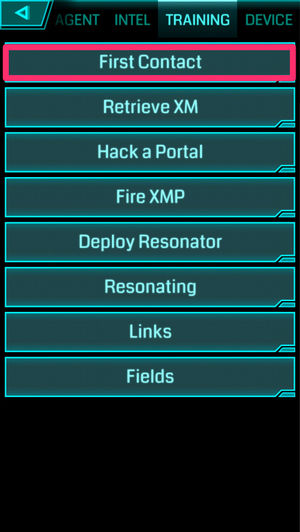
Tap First Contact for your first training session.
Source: dekiru.net
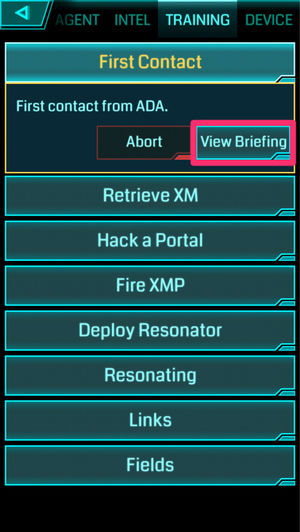
Now that you have a brief description of the training, tap View Briefing.
Source: dekiru.net
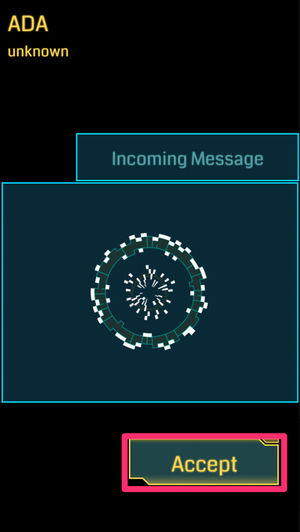
The Incoming Message appears, confirming receipt of the message, so tap Accept.
Source: dekiru.net
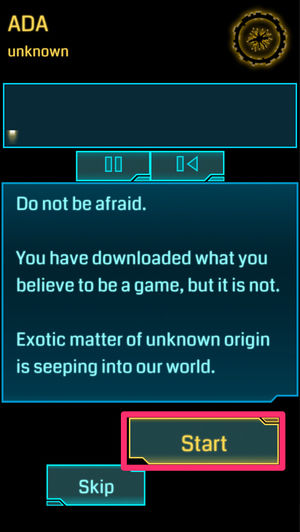
There will be a text and audio description. The first training will only read the description, so tap Start to finish.
For the next training session, tap the octagonal icon in the upper left of the screen → TRAINING again to display TRAINING.
(2) Resieve XM: Walk to collect Exotic Matter (XM)
Source: www.appbank.net
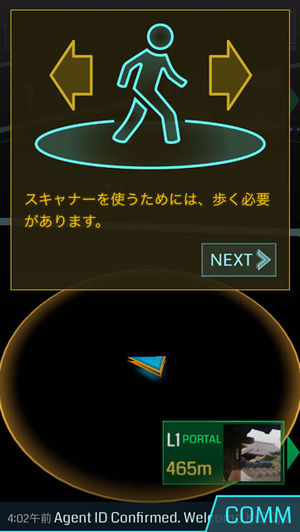
2番目のトレーニングでは、『Ingress』における全ての行動の源泉となる未知のエネルギー「エキゾチックマター(XM)」の回収を行う。本トレーニングは実際に歩いて移動する必要があるため、屋外で実施すべきである。
XMは『Ingress』における行動エネルギーであり、画面上部のインジケーターに表示される。ポータルへのアクセスや敵からの攻撃によるダメージでXMを消費し、残量が尽きると一切の行動が不可能となる。そのため、移動しながらXMを回収し、常にチャージしておくことは、エージェント活動における極めて重要な基本動作である。
Source: dekiru.net
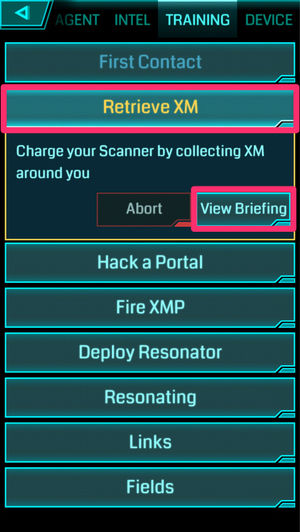
Tap Retrieve XM, and then tap View Brifing.
Source: dekiru.net
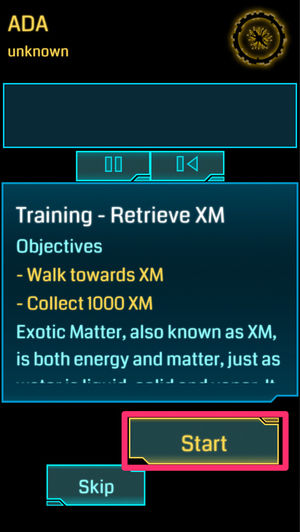
You will be explained what to do in this training.
・ Walk towards XM
・ 1000 xm collect
Tap Start to begin the training.
Source: dekiru.net
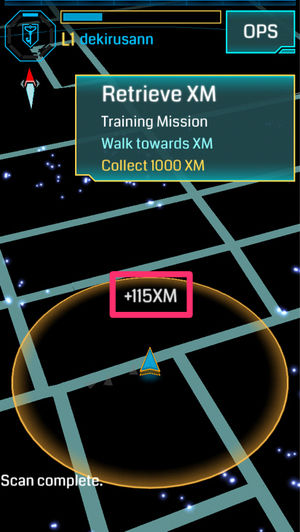
Training has begun. XM is a small bright spot that appears on the screen. If you place XM inside the orange ring (action range) around you (the triangle in the center of the screen), XM is absorbed by you and added (shown as [+ 115 xm] in the screenshot).
Source: dekiru.net
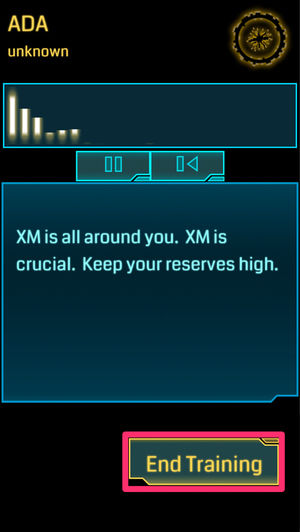
When you retrieve the 1000 xm, a message appears and the training ends. Tap on End Training.
(3) Hack a Portal: Hack a portal
『Ingress』のマップ上には、数多くの「ポータル」(Portal)と呼ばれる拠点がある。ポータルの役割はさまざまだが、ここでは「ハック」(Hack。侵入のこと)を行う。
自陣営、敵陣営を問わず、ポータルをハックすることで、さまざまなアイテムが手に入る。敵陣営のポータルをタップした場合は攻撃を受けてXMが減少するが、ポータルの周辺にはたいてい大量のXMがあるため、ある程度は補うことができる。
また、敵陣営のポータルをハックしたときには、『Ingress』での経験値に相当する「AP」が手に入る。レベルを上げるためにはAPをためていく必要があるが、レベルが低いうちのAPを稼ぐ手段としては、敵陣営のポータルのハックが、リスクも低く効果的である。
Source: dekiru.net
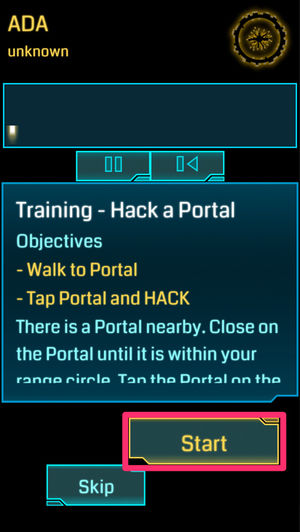
Tap Hack a Portal> View Brifing> Accept to view the description.
・ Walk towards the portal
・ Tap and hack the portal
Tap Start to begin the training.
Source: dekiru.net
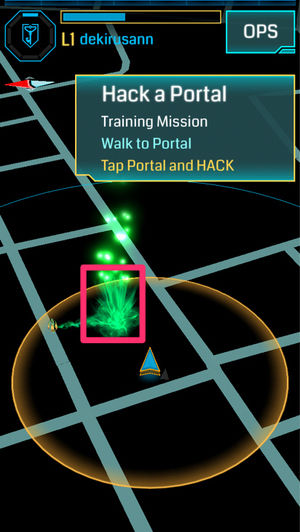
The map on the screen changes to show one portal of enemy colors. When you walk so the portal is within the action range, tap the portal.
Source: dekiru.net
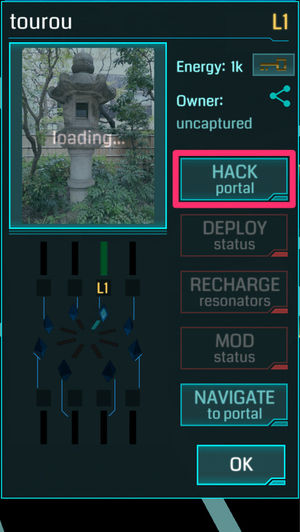
The information of the portal you tapped is displayed. Tap [HACK].
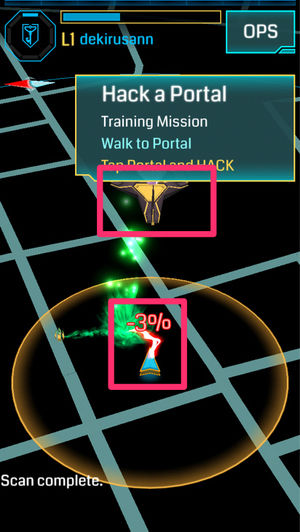
Source: dekiru.net
You will return to the map screen and the hack will be executed. At the same time that the item jumps out from the portal, since it is the portal of the opponent, it will be attacked and the damage will be shown.
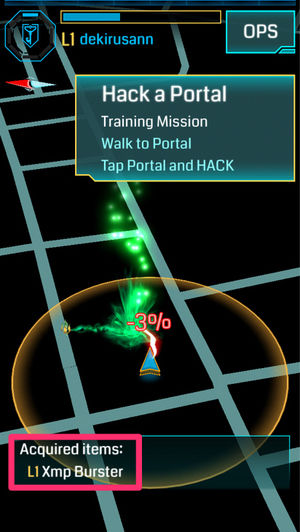
Source: dekiru.net
Now that the hack is done and the item you got (in this case, L1 Xmp Burster) appears at the bottom of the screen, the training is complete.
(4) Fire XMP: Attacks portals
An enemy portal can be made self-contained by attacking it with a weapon called an "Xmp Burster" and neutralizing it (turning it gray). An Xmp Burster is a type of item that can be obtained by hacking the portal.
In this training, you will use the XMP Burster to attack an enemy portal. Your initial attack will be low, so you may not be able to make a successful attack until you have reached a certain level. However, you should learn how to do this.
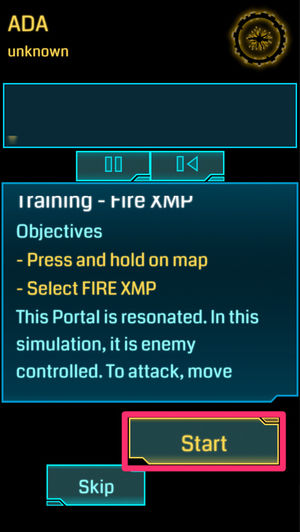
Source: dekiru.net
Tap Fire XMP> View Brifing> Accept to view the description.
- Long press on the map
- Select [FIRE XMP] (the menu will appear).
Tap Start to begin the training.
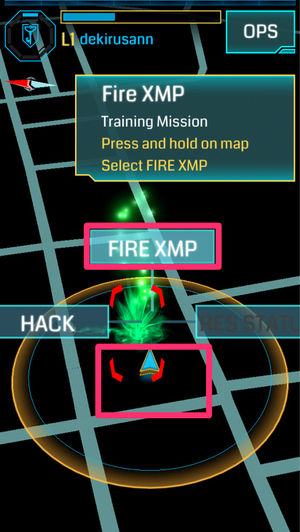
Source: dekiru.net
The map on the screen changes to show one enemy portal in the action range. Press and hold the screen and select (flick up) [FIRE XMP] from the displayed menu.
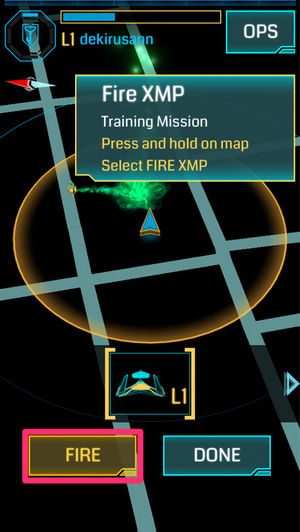
Source: dekiru.net
The screen to start an attack has appeared. Tap [FIRE].
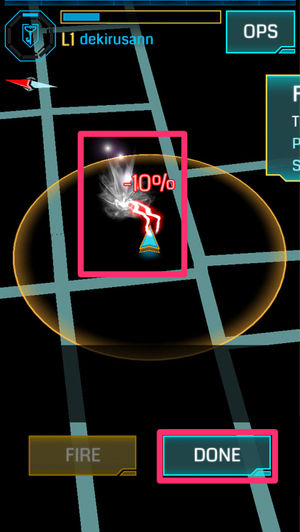
Source: dekiru.net
An attack has occurred within the scope of the action and the damage has caused the portal to become neutral and grey. Tap DONE to end the training.


Contents
- What is "Ingress"?
- 『Ingress』(イングレス)のあらすじ・ストーリー
- 謎の物質「XM」の発見とナイアンティック計画
- 「啓示の夜」と計画の崩壊
- スキャナの流出と二大陣営の誕生
- 権力争いとジャービスの復活
- How to play
- 基本動作
- First of all
- Training for beginners!
- Start the training menu
- (1) Fitst Contact: Check messages
- (2) Resieve XM: Walk to collect Exotic Matter (XM)
- (3) Hack a Portal: Hack a portal
- (4) Fire XMP: Attacks portals
- (5) Deploy Resonator: Install a resonator
- (6) Resonating: Enables the resonator to be linked
- (7) Links: Link Portal
- (8) Fields: Create fields
- To stop training
- How to get two portal keys
- What You Need to Know When Linking (Basic Version)
- Ingress: The Three Ways to Upgrade and Improve that Beginners want to Master [For L1-3]
- 1: Walk around your perimeter and learn about nearby portals
- 2: Learn how APs can make money
- AP by behavior
- What You Need to Know When Hacking Portals
- 3: Watch the Intel Map and Plan
- 4:守り切ろうと思わない
- 5:「1本刺し」を活用させてもらう
- 『Ingress』(イングレス)の用語
- 陣営(Faction)
- エンライテンド(Enlightened(ENL)、覚醒派閥)
- レジスタンス(Resistance(RES)、抵抗派閥)
- 『Ingress』(イングレス)の関連動画
- 『Ingress』(イングレス)の裏話・トリビア・小ネタ/エピソード・逸話
- プライバシーに関するリスクに注意
- 盛んなコミュニティ活動