

The smartphone game "Ingress" was launched in 2013. Ingress is a "real-world" game that uses augmented reality to measure the player's current location and reflect it in the game.
Until the Japanese version of the game was launched in 2015, only an English version of the game existed, and many people said that they were interested in the game but did not understand English. Here, we introduce an explanation of the early stages of the game for players who are not good at English.
(5) Deploy Resonator: Install a resonator
「レゾネーター」(Resonator)は、『Ingress』のルールを理解するうえで、最初に引っかかるポイントとなるかもしれない。
1つのポータルには最大8本の「レゾネーター」というパーツを配置できる。前のトレーニング4ではポータルを攻撃したが、正確にはポータルに配置されたレゾネーターを攻撃している。攻撃によりすべてのレゾネーターを破壊されたポータルは、中立(グレー)になる。
中立のポータルは、レゾネーターを配置することで自陣営のものにできる。そして8本すべてのレゾネーターを配置することで、ポータルからほかのポータルへ「リンク」を張り、リンクによって三角形の領域「フィールド」=自陣営の陣地を作ることができる。
レゾネーターは、ハックによって手に入るアイテムの一種である。このトレーニングでは、ポータルに1本のレゾネーターを設置する方法を習得する。
Source: dekiru.net
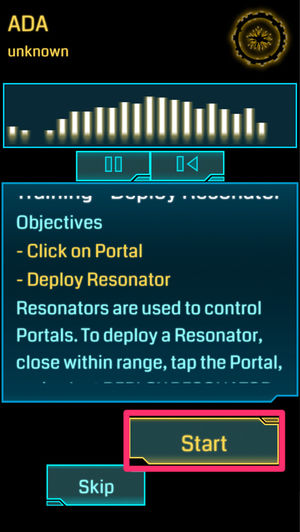
Tap Deploy Resonator> View Brifing> Accept to view the description.
- Click (tap) on the portal
・ Install a resounder.
Tap Start to begin the training.
Source: dekiru.net
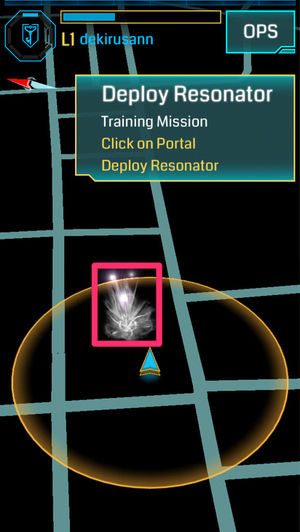
The map on the screen changes to show one neutral portal within the action range. Tap the portal.
Source: dekiru.net
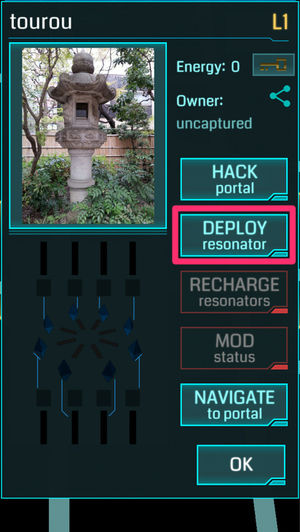
The information of the portal you tapped is displayed. Tap DEPLOY.
Source: dekiru.net
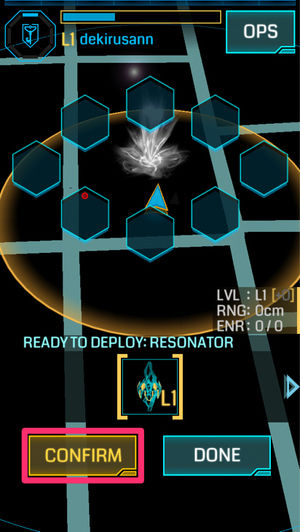
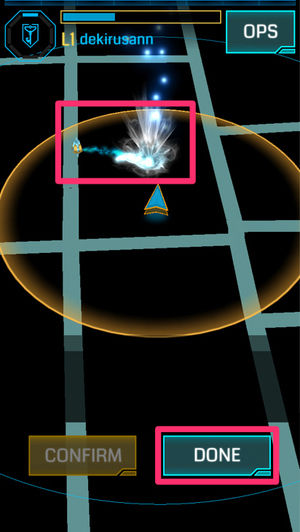
The message "READY TO DEPLOY RESONATOR" is displayed and the resonator arrangement screen appears. The resonator arrangement diagram (8 directions around the portal) appears at the top of the screen. Tap [CONFIRM] to arrange the resonator.
Source: dekiru.net
When the resonator is placed, a small resonator appears on the map next to the portal, and the portal changes color to your own. Tap DONE to complete the training.
(6) Resonating: Enables the resonator to be linked
トレーニング5ではレゾネーターを1本だけ配置したが、今回のトレーニングでは8本すべてのレゾネーターを配置し、ポータルをリンク可能にする。
「レゾネーター」(Resonator)は「共鳴装置」、このトレーニングのタイトル「Resonating」は「共鳴させる」といった意味になる。
Source: dekiru.net
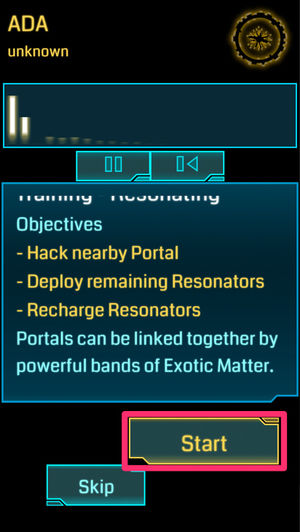
Tap Resonating> View Brifing> Accept to view the description.
・ Hack a portal nearby
- Install the remaining resonator.
- Recharge the re-processor.
Tap Start to begin the training.
* "Recharge" refers to giving the XM held by the agent when the XM stored in the resonator is insufficient. The XM of the resonator becomes the durability of the resonator, and the resonator whose XM becomes 0 is destroyed.
Source: dekiru.net
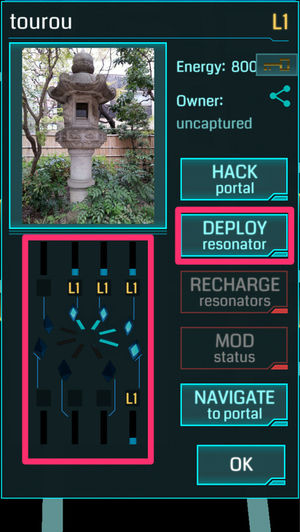
The map on the screen changes to show one of your own portals with four resonators. Tap the portal and first hack it the same way you did in Training 4 to get the item (resonator).
Then tap the portal again and tap DEPLOY to begin placing the resonators the same way you did in Training 5. If you look at the information on the portal, you can see that four resonators have already been placed and the XM (bar graph) for each is decreasing.
Source: dekiru.net
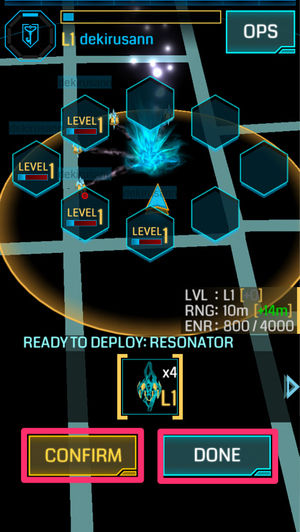
On the Resonator Placement screen, tap [CONFIRM] four times to place all the resonators. When the placement is complete, tap [DONE].
Source: dekiru.net
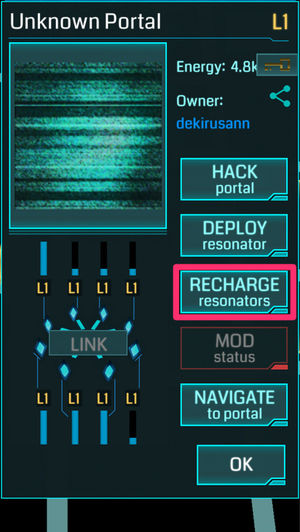
Tap the portal again, and then tap RECHARGE.
Source: dekiru.net
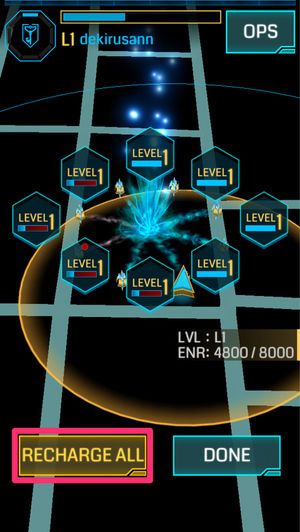
The recharge screen is displayed. Tap [RECHARGE ALL].
Source: dekiru.net
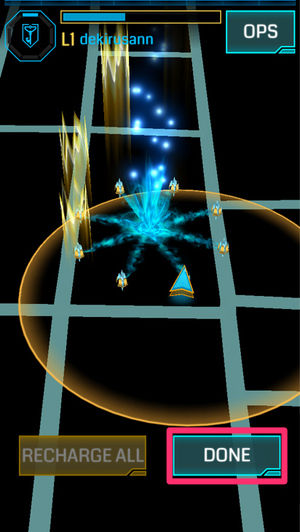
Recharge is performed and each resonator is filled with XM. Tap DONE to complete the training.
(7) Links: Link Portal
このトレーニングでは、2つの(レゾネーターが8本ずつ配置された)ポータルをリンクする。リンク、そして次のコントロールフィールドの作成は、『Ingress』の醍醐味と言える部分である。
リンクのためには、リンク先ポータルのキー(Portal Key)が必要である(リンク元のキーは不要)。ポータルをハックすることで、そのポータルのキーが手に入る。そして、ほかのポータルをリンク元としてリンクを張ると、そのキーは消費されて消滅する。
Source: dekiru.net
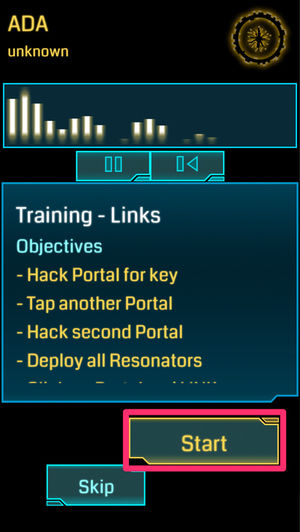
Tap Links> View Brifing> Accept to view the description.
- Hack Portal 1 to get the Portal Key
- Hack Portal 2 (and get the resonator)
・ Place the resonator on the portal 2 and make it linkable
- Linking from portal 2 to portal 1
Tap Start to begin the training.
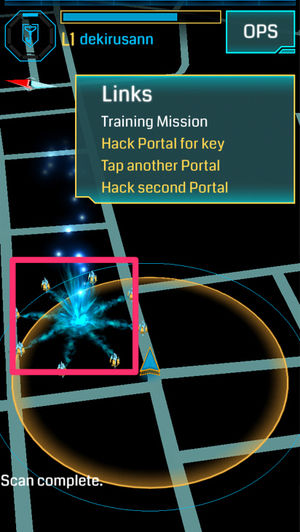
Source: dekiru.net
The map on the screen changes to show one of your own portals. Tap this portal to hack it.
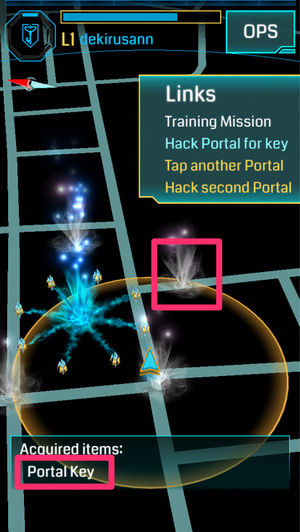
Source: dekiru.net
When the hack is complete, the Portal Key appears on the acquired item, and at the same time, a neutral portal appears around it.
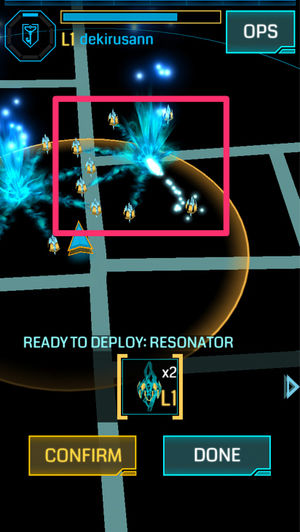
Source: dekiru.net
Select the appropriate neutral portal and hack (as in Training 4) -> deploy the Resolater (as in Training 5 and 6).
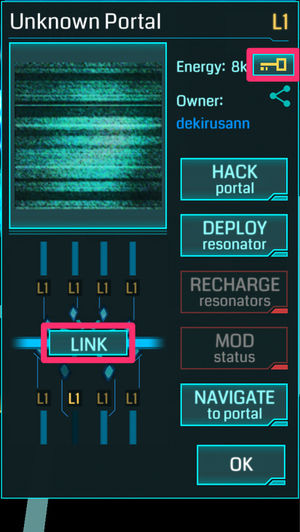
Source: dekiru.net
Tap the second portal where you placed the resonator again, and then tap LINK.
By the way, if a portal has a key, the icon of the key in the upper right corner of the screen will light up.
Source: dekiru.net
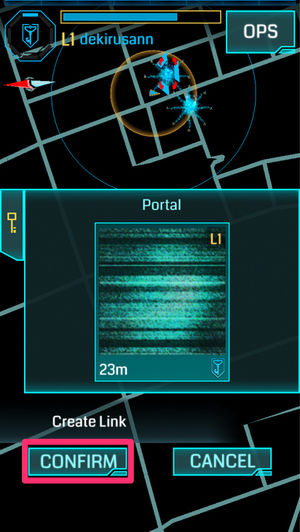
The screen changes to a map viewed from above, and linkable portals in the surrounding area are displayed. A photo of the portal is displayed as a candidate. Confirm the portal you want to link to and tap [CONFIRM].
Source: dekiru.net
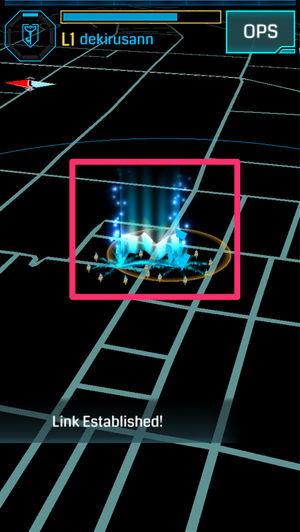
You should see LINK Established! and there is now a link between the two portals. This is the end of the training.


Contents
- What is "Ingress"?
- 『Ingress』(イングレス)のあらすじ・ストーリー
- 謎の物質「XM」の発見とナイアンティック計画
- 「啓示の夜」と計画の崩壊
- スキャナの流出と二大陣営の誕生
- 権力争いとジャービスの復活
- How to play
- 基本動作
- First of all
- Training for beginners!
- Start the training menu
- (1) Fitst Contact: Check messages
- (2) Resieve XM: Walk to collect Exotic Matter (XM)
- (3) Hack a Portal: Hack a portal
- (4) Fire XMP: Attacks portals
- (5) Deploy Resonator: Install a resonator
- (6) Resonating: Enables the resonator to be linked
- (7) Links: Link Portal
- (8) Fields: Create fields
- To stop training
- How to get two portal keys
- What You Need to Know When Linking (Basic Version)
- Ingress: The Three Ways to Upgrade and Improve that Beginners want to Master [For L1-3]
- 1: Walk around your perimeter and learn about nearby portals
- 2: Learn how APs can make money
- AP by behavior
- What You Need to Know When Hacking Portals
- 3: Watch the Intel Map and Plan
- 4:守り切ろうと思わない
- 5:「1本刺し」を活用させてもらう
- 『Ingress』(イングレス)の用語
- 陣営(Faction)
- エンライテンド(Enlightened(ENL)、覚醒派閥)
- レジスタンス(Resistance(RES)、抵抗派閥)
- 『Ingress』(イングレス)の関連動画
- 『Ingress』(イングレス)の裏話・トリビア・小ネタ/エピソード・逸話
- プライバシーに関するリスクに注意
- 盛んなコミュニティ活動