
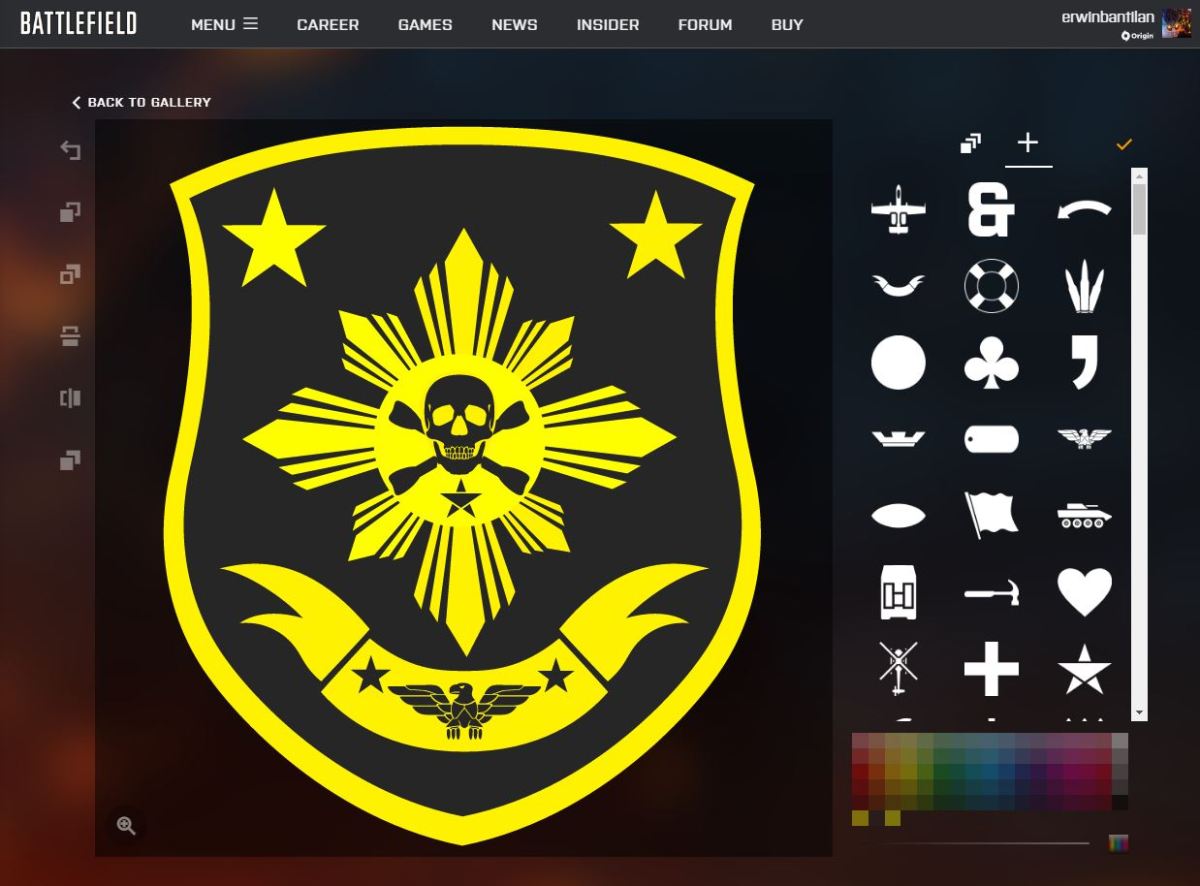
In "Battlefield 1," players can create and use customized emblems, which will be displayed in place of the default emblems on their soldiers' uniforms, guns, and vehicles, and will also appear on their opponents' screens when they kill them. In addition to creating your own emblem, you can also apply emblems created by others. Here is a summary of how to change emblems.
How do you change the emblem?
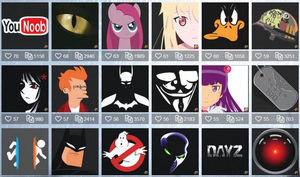
Source: fpsjp.net
"EMBLEMS FOR BATTLEFIELD4" is a site where you can upload and copy user-created emblems easily and quickly, and there are many cool and unique emblems.
Emblems for Battlefield 1, Battlefield 4, Battlefield Hardline
emblemsbf.com
Emblems for Battlefield 1, Battlefield 4, BF1, BF4, BFH, Battlefield Hardline
By using this site, you can easily apply the emblem made by other users to yourself!
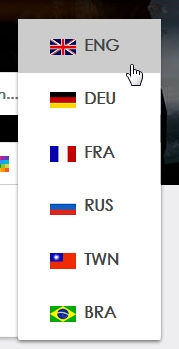
Since there is no Japanese in the language setting, select English.
It's easy to use once you get used to it, so once you learn it, you can use it without any resistance.
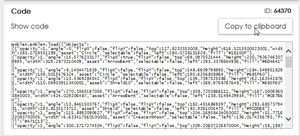
Click on the emblem to go to the individual page, then click on "Show code" and copy the code.
(You can also press Copy to clipboard ")
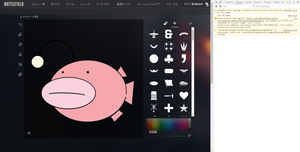
Source: buoyst.com
Note that the code to be copied is different between BF1 and BF4.
Then, enter your EA account on the official Battlefield site and log in. Click "Carrier" on the menu tab to proceed to the Emblem confirmation screen.
Then, go to the screen to create a new emblem.
My browser is Google Chrome, so if I press F12, the browser console will appear on the right.
Select the Console tab there, paste the code you just copied into the console entry field below, and press Enter.
Then, the copy of the emblem is completed in no time.
Emblem Copy Procedure
Find your favorite emblem in Emblem for Battlefield and copy the code.
Log in to the official Battlefield site with your EA account and go to the emblem confirmation screen.
Go to the screen where you want to create a new emblem and press F12 (if your browser is Chrome).
From the console tab on the screen to the right, paste the code into the console entry field below and press Enter.
The copied emblem is stored and equipped.
Notes
Since general BF1 players can only make emblems with up to 20 layers, to copy emblems with 21 or more layers (especially character emblems, etc.), you need to purchase a BF1 premium pass (season pass) and increase the layer limit to 40 (otherwise an error will occur).
In addition, the method introduced this time is based on the assumption that you are using a Chrome browser. If you are using IE or Firefox, please refer to other sites for the method.
The copied emblem may be used by other players, so if you want full originality, you may want to create it yourself from scratch.
However, the way to copy this emblem is surprisingly unknown, so it is rarely worn.

Related Articles
Summary of the most powerful weapons and descriptions by BF1's military disciplines [Battlefield 1].
Battlefield 1 is an FPS in the Battlefield series. Although it is called "1," it is the 12th title in the series. In this title, there are many different types of soldiers, such as assault soldiers, nurse soldiers, support soldiers, and reconnaissance soldiers, and each soldier makes full use of different weapons and gadgets. Here, we have compiled a list of the most powerful weapons for each military unit, along with explanations.
Read Article
Summary of how to turn off the console in BF1! Battlefield 1 Commentary
There are times when a console appears on the "Battlefield 1" game screen. The console appears mainly in Japanese keyboard environments when the half/full-width keys are pressed, and while it is useful for executing arbitrary commands, it can also get in the way during play. Here we explain how to turn off the console.
Read Article