
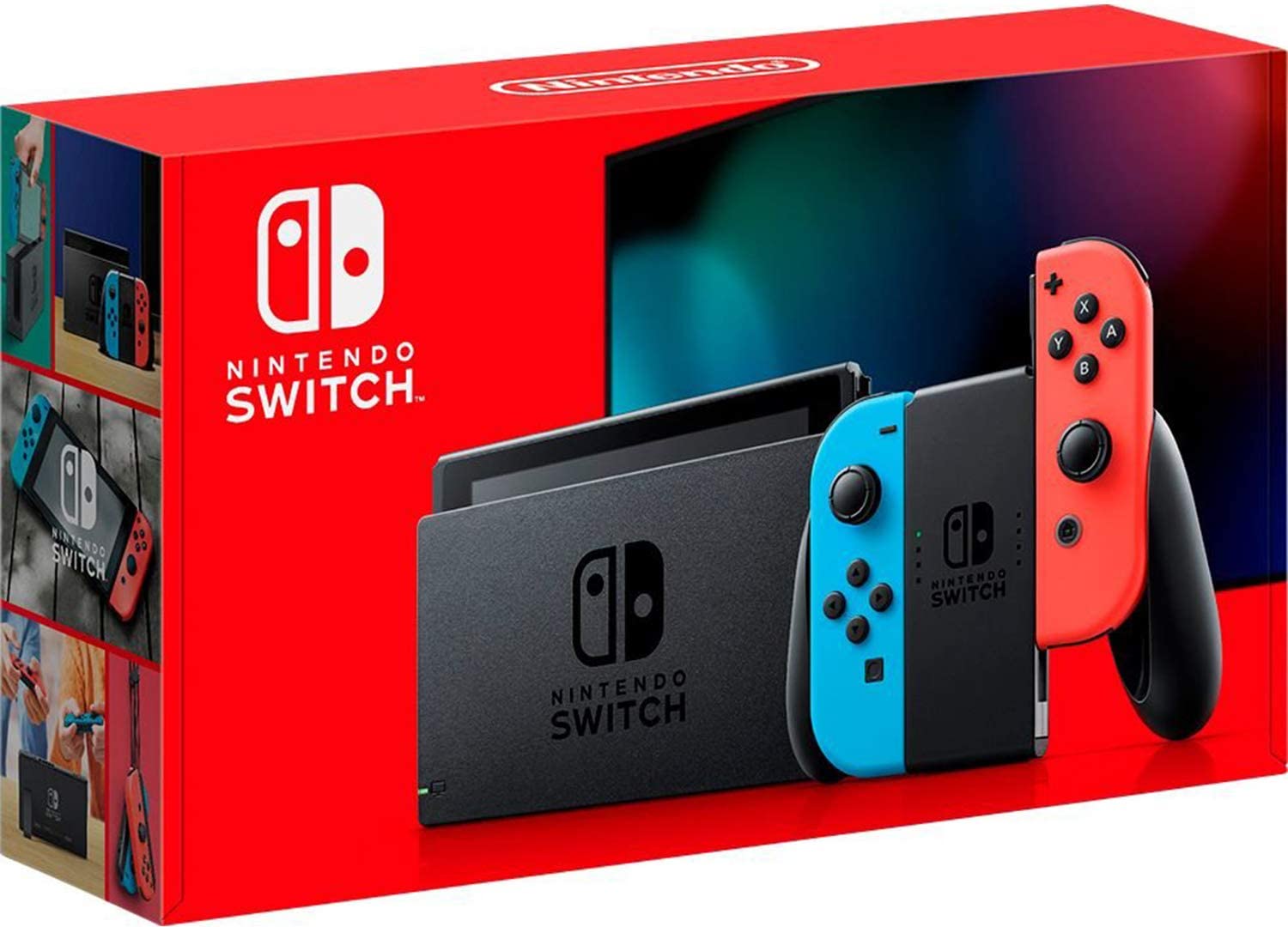
Nintendo Switch was released in 2017; as its name suggests, it is a portable home video game console developed by Nintendo. This article summarizes basic information about the Nintendo Switch and how to use it. It also explains the battery life, which is a concern when taking the device outside. Check it out if you are planning to buy the device!
Three ways of playing and controller settings
One of the best features of the Nintendo Switch is the ability to play in three modes depending on the situation. Video games can be played as mobile games outside the home.
Source: app.famitsu.com
TV Mode
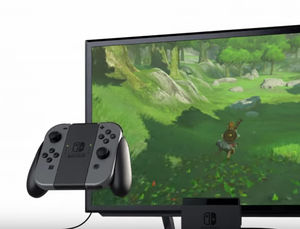
By connecting to a TV, it is a mode that can be enjoyed by both children and adults. It is perfect for gathering with friends or home parties.
Source: app.famitsu.com
Table Mode
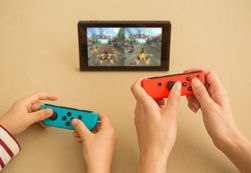
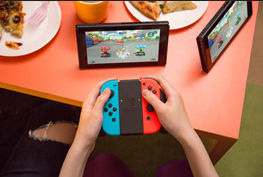
By setting up the stand of the main body, it is a mode where you can play even where there is no TV. By sharing "Joy-Con" and sharing the screen with your friends, you can immediately play against or cooperate with them.
Source: app.famitsu.com
Source: www.nintendo.co.jp
Remove from the main unit
In TV mode or table mode, remove the Joy-Con from the body to play.
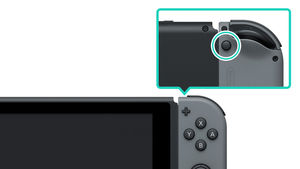
While pressing the eject button on the back of the Joy-Con, slide the Joy-Con from the bottom to the top.
Source: www.nintendo.co.jp
Switch to table mode
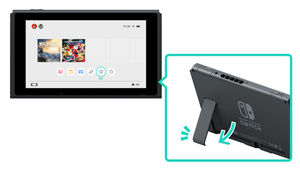
Remove the left and right Joy-Con from the body, and open the stand on the back of the body.
Mobile mode
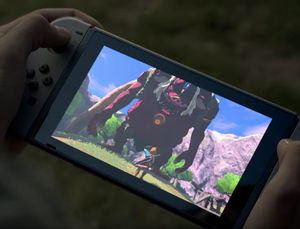
The "Joy-Con" is attached to the main body and you can play it in your hand. You can enjoy the same game experience as the TV screen anytime and anywhere.
Source: app.famitsu.com
Source: www.nintendo.co.jp
Switch to mobile mode
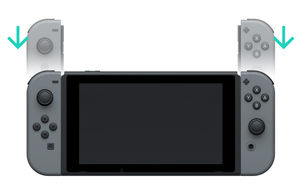
In portable mode, attach the Joy-Con to the left and right sides of the body and play. Slide the Joy-Con from top to bottom along the rails on the side of the body until it clicks.
Use the Joy-Con grip
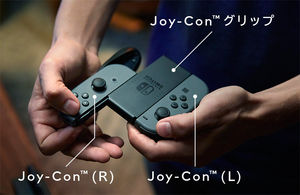
Source: www.nintendo.co.jp
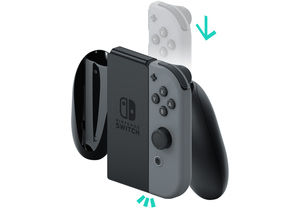
Source: www.nintendo.co.jp
How to install
Slide the removed Joy-Con from top to bottom along the rails on the left and right sides of the Joy-Con grip until it clicks.
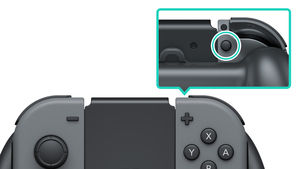
Source: www.nintendo.co.jp
How to remove
While pressing the eject button on the back of the Joy-Con, slide the Joy-Con from the bottom to the top.
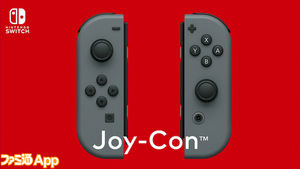
New left and right controller "Joy-Con"
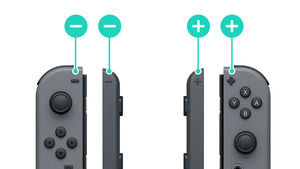
Source: www.nintendo.co.jp
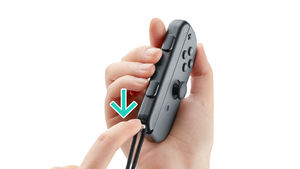
How to install
① Check that the + mark and - mark are aligned.
② Confirm that the slide lock of the strap is released.
Then slide the strap from above along the rail.
③ Push the slide lock on the lower side of the strap up to lock it. Adjust it by pushing the button on the stopper of the string so that you don't lose your hand.
Source: www.nintendo.co.jp
How to remove
① Push the slide lock down to release the lock.
② Slide the Joy-Con downward.
* There is no need to press the "remove button" on the back of the Joy-Con.
Source: app.famitsu.com
The Joy-Con is basically connected to the left and right sides of the Joy-Con grip as a single controller, but you can also pass one of the Joy-Con grips to your opponent as a second controller. At Nintendo, this is referred to as a "go-between play."
Source: game.watch.impress.co.jp

Contents
- What is the Nintendo Switch?
- Home game machine that can be taken out and played
- "Nintendo Switch Lite" for mobile phones will be released on September 20th (Fri), 2019!
- Great deal to buy Nintendo title download software!
- Be careful not to put the opposite direction, it will be difficult to remove it, so be careful!
- Main Unit Set Contents
- Nintendo Switch Online
- How to connect in TV mode
- Play with the packaged software
- Exit the main unit
- How to charge the battery
- How to check the battery level
- Internet connection
- Linking users and Nintendo accounts
- Friend
- Nintendo Mimamori Switch App for Parents
- Three ways of playing and controller settings
- TV Mode
- Table Mode
- Mobile mode
- Use the Joy-Con grip
- New left and right controller "Joy-Con"
- Joy-Con Key Features
- New tactile sense "HD vibration"
- Switch battery life
- Multi-Play up to 8 units
- Nintendo Switch Dock
- Now available is a colored Joy-Con. The "Joy-Con strap" is also available in different colors.
- Commercial for the Super Bowl, America's largest sporting event
- Nintendo Store opens on Monday, January 23
- * How to remove the Joy-Con strap when it is attached in the reverse direction.