
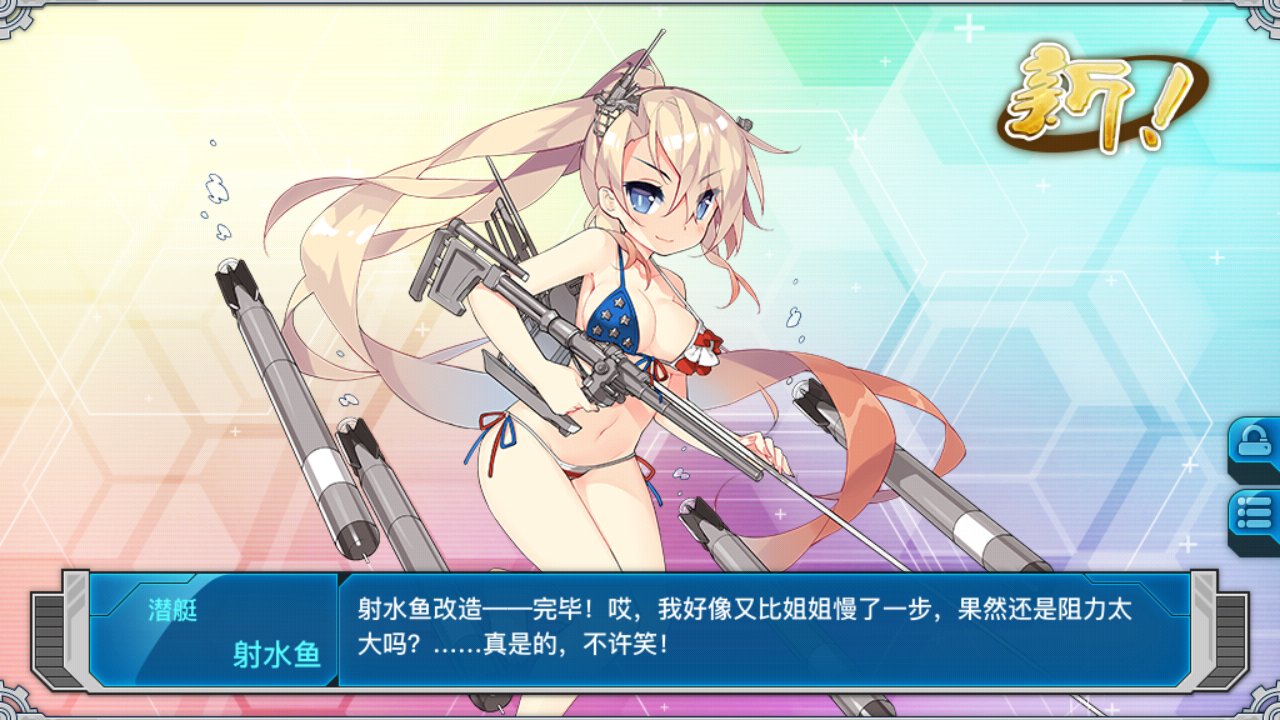
Battleship Girl R (战舰少女R) is an Android/iOS application game developed and operated by Genmoe Networks, a game company based in Shanghai, China.
It is a naval battle simulation training game in which the player becomes an admiral to launch, repair, and build anthropomorphic girls (called "ships").
The service is currently available not only in China but also in Japan.
Outline of "Battleship Girl R
Battleship Girl R (战舰少女R) (*To avoid confusion, we will refer to it as Battleship Girl or Battleship Girl R below) is an inspired game developed by fans who were inspired by "Fleet Korokushon" and wanted to create a game like this themselves. We decided to develop this game partly because the DMM system does not allow foreigners outside of Japan to play this game.
Battleship Girl was launched as a smartphone app game in September 2014, with Gensho developing the game and Hashu acting as the game's operator.
At the time of its launch, Battleship Girl was seen as one of the most common ship copy games in China. However, even though Battleship Girl was based on this ship, it went its own route, different from this ship in terms of character design and system, and gradually gained popularity not only in China, but also among people outside of China and Japanese.
Then one day, Hashu, which has been running the game until now, decides to cut the contract with Genmoe because of the maliciousness of this Hashu. (They proceeded to talk with the malicious game without permission, etc., and this was condemned by both the developers and users. Various other things, such as not paying salaries to the development side).
In July 2015, the developer Genmo broke the management agency contract with the operator Hashu. As a result, development and management were split into two, and for a time there were two Battleship Girls, one on the GENMOE side and the other on the HASHU side.
After that, GENMO renewed the system and other aspects of Battleship Girl, and launched a major update, Battleship Girl R, in November 2015.
Meanwhile, the Hashu side hired new developers and others and continued to operate Battleship Girl, but it was not well received. Finally, in June 2016, the former Hashu side reached a settlement with the developer side, Genmoe, and the trial regarding the copyright ownership issue came to an end. At the same time, the service of Battleship Girl on the Hashu side was terminated.
To celebrate the settlement, a ring was sent to each player on June 24 (the ring can be used to marry a character who has accumulated up to 100 likability points).
Subsequently, the Japanese version of Battleship Girl R service was launched in Japan on October 24, 2016. (When the Japanese version was first launched, there were a number of emergency maintenance due to bugs and other problems, but in the end the game continued without incident.)
Due to the friendly system aspect of the game, Battleship Girl R will be accepted in Japan; as of January 2017, the number of downloads has already exceeded 300,000.
In the case of the Japanese version of Battleship Girl R, it is currently available as a game app for Android/iOS.
Contents
Battleship Girl R is a game in which the player assumes the role of an admiral and, together with his fellow ships (anthropomorphic girls, as they are called in this world), fights against deep sea forces that attack from beyond the sea and collects ships.
The ships that appear in the game are mainly based on the warships that actually appeared during World War II (some postwar ships and non-warships also appear), such as Japanese, American, German, Soviet, and other warships.
By the way, some people think it is strange that it is written "Battleship Girl" when various types of ships appear, but in China, the word "battleship" refers to the Japanese word "warship. Therefore, the exact translation is "Battleship Girl. Conversely, the Chinese term for a battleship is a battle line.
Every game has a story, but in the world of Battleship Girl R, there is no setting at all. This is because Gensho, the game's operator, wants everyone to imagine and create their own story, so we intentionally did not create one. Therefore, it is up to the player and the artist to decide why they are at war.
The game has been highly acclaimed for its high level of perfection, and once you start playing it, you will be hooked.
There are many ships to choose from, so you can create your own story.
home port screen
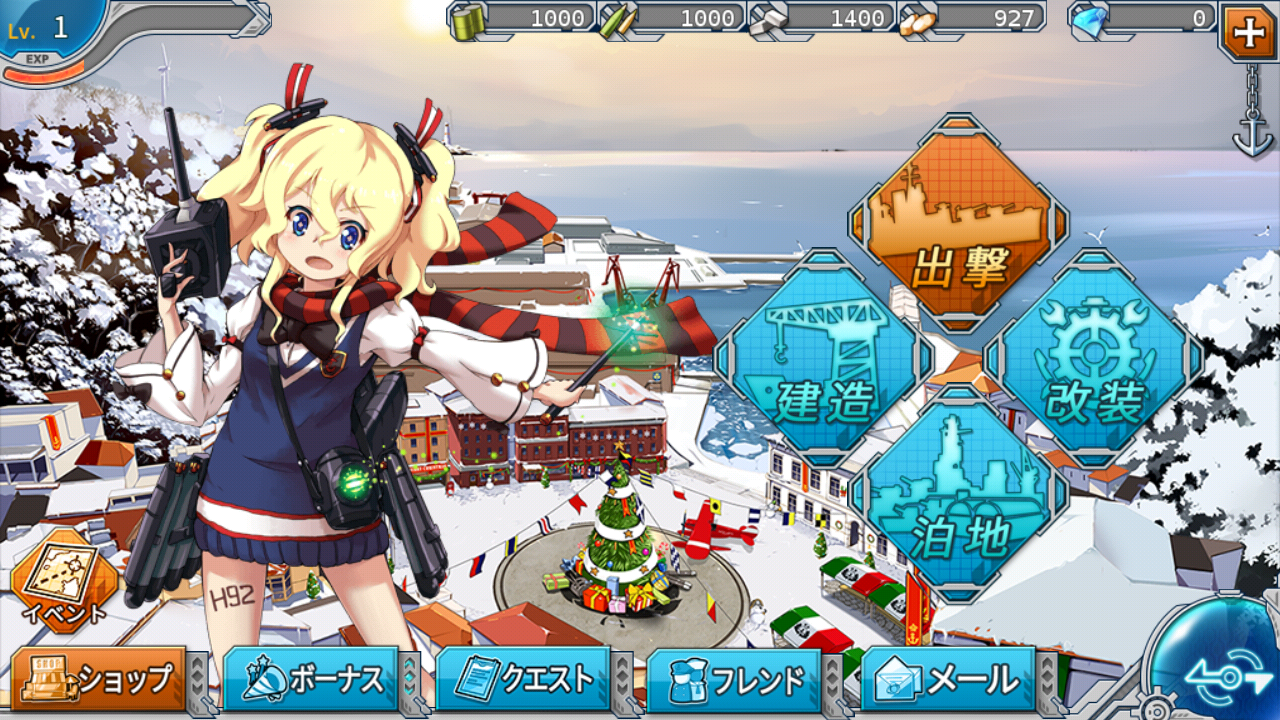
When you first start the game, a tutorial will begin. This tutorial will teach you the basics of what to do, so beginners will not encounter so much trouble in the beginning.
The home port screen changes day and night in real time, with illustrations changing with the seasons and anniversaries. It will be interesting to take a peek regularly to see the changes in the home port.
Here we will explain the basic system and how to view the home port screen.
1: [This game is mainly played by consuming resources to launch ships, repair them, and modify them. Therefore, resources are important and you need to accumulate them through expeditions and time. The four gauge bars at the top of the home port screen indicate the amount of resources, from left to right: fuel, ammunition, steel, and baux. These are mainly consumed to progress through the stages and for repairs.
2: [The bar next to the resource gauge bar is the diamond bar, which represents the amount of diamonds purchased from the store in the lower left corner.
3:[The Admiral level and experience bar are displayed in the upper left corner. Furthermore, by tapping this symbol, you can see the Admiral's office.
4:【There are four big buttons on the right side of the screen. These buttons are mainly used to advance through the game. These buttons can be used to launch ships, create new ships and equipment, modify ships, organize fleets, and more (see below for details).
5: [When it is time for an event, the event text symbol will appear in the lower left corner. Press the button to see the event-only sea area.
6:【Various blue buttons are located at the bottom of the screen. From left to right, there are Shop, Bonus, Quest, Friend, Mail, and if you tap the blue mark in the lower right corner, you can switch to other buttons such as Ranking, Collection, Settings, and so on.
*Further details below
In the store, you can exchange diamonds and diamonds for outfits and other limited items.
Bonus allows you to check the items and other rewards you can get if you log in every day.
Quests present players with things to do. If the conditions presented are met, the player will receive a reward.
Friends can exercise with players registered in the friend function, and can enter the player's office. At times, Battleship Girl events include defense battles, where you can fight using the first fleet of players registered as friends.
Emails may be congratulatory emails from the management or apologies for inconveniencing players.
Rankings include collection ranking and ability ranking, which clearly states the rank of how much military achievement a player has earned within the same server.
The collection will show the ships and equipment you have collected so far.
Settings allow you to set the volume and other settings.
Main Buttons
sortie
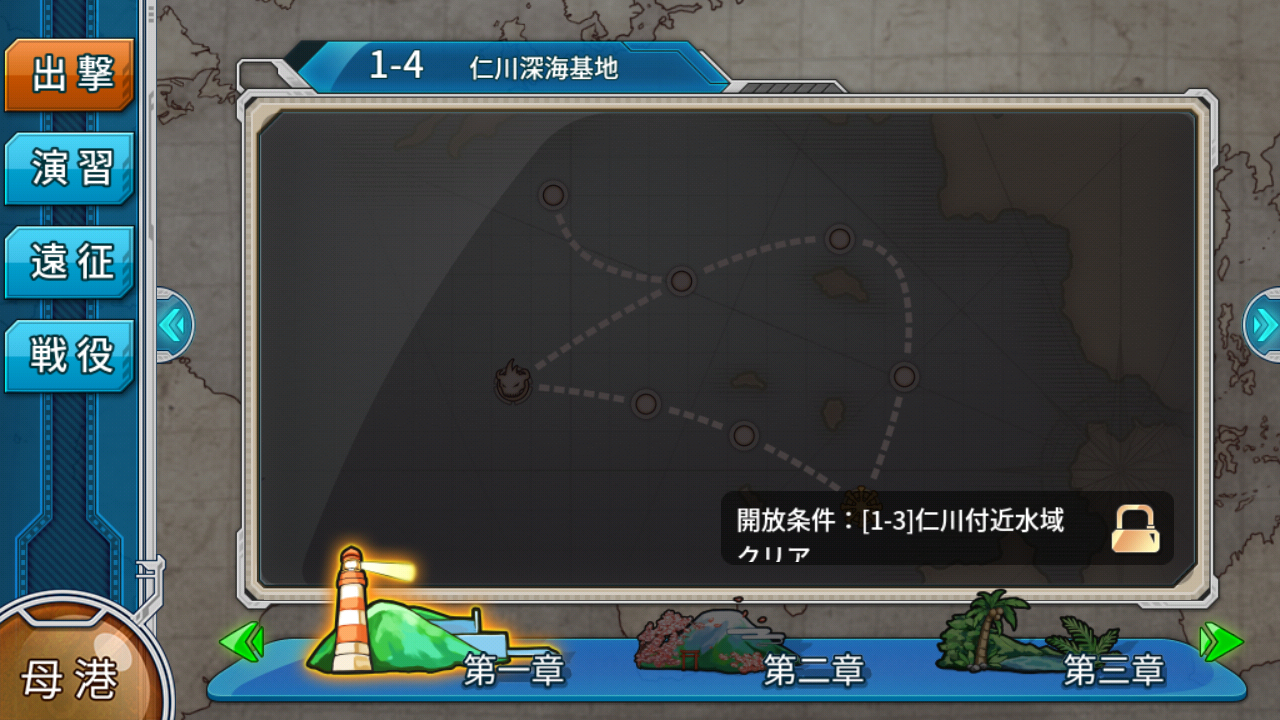
When you tap "Sortie", the screen will change to show "Sortie", "Exercise", "Expedition", and "Battle".
Sortie" allows you to send the fleet you are currently organizing to a stage. As a beginner, the next stage is locked and cannot be selected, but as you clear stages, the next stage will be unlocked and you can proceed.
The "exercise" allows you to engage in combat with other players, which is updated every morning, afternoon, and night. Even if you lose the battle, you will receive experience. During the exercise, you may see a ship roar to the ground and sink, but this will not affect your ship.
Expedition" is a way to send your current fleet on an expedition to gain resources. If a fleet does not meet the requirements, it will not be allowed to go on the expedition.
The "expedition" is a limited area where you can fight 8 times a day. If you win the battle, you can get modification cores. Modification cores are items that can be used to modify a ship and increase its status.
construction
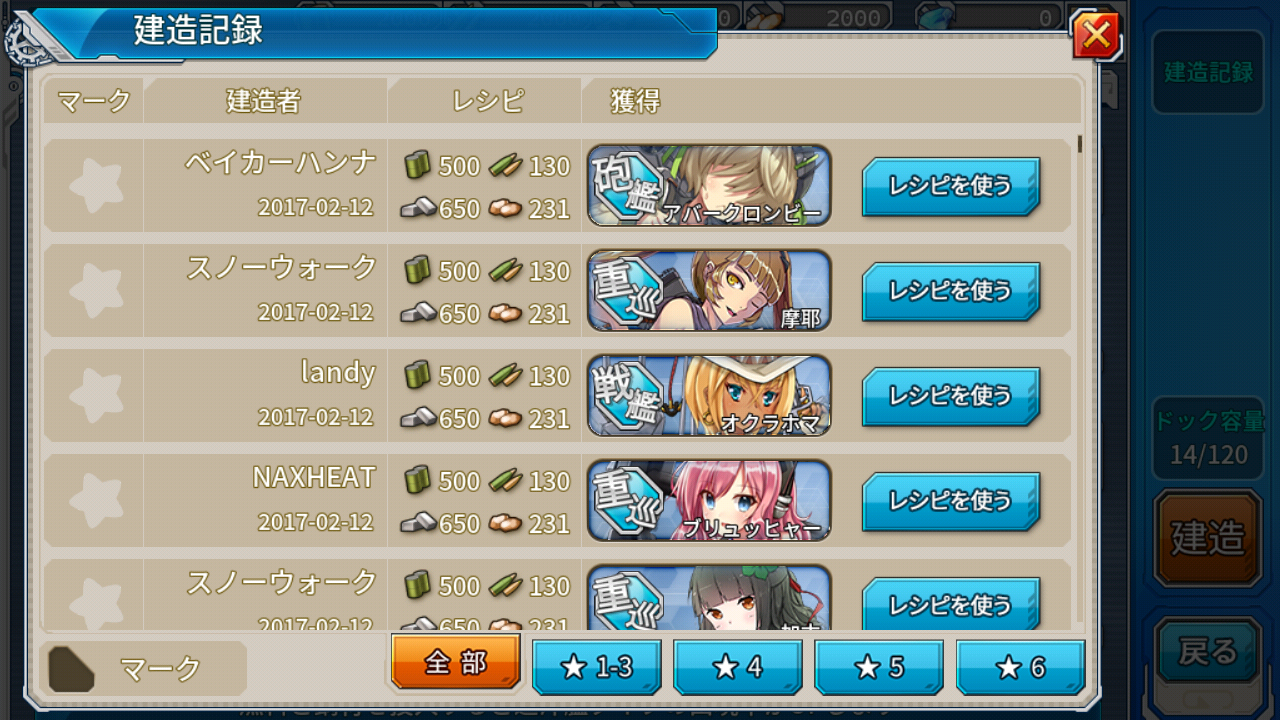
The "Build" option allows you to use resources to build new ships. The ships that come out will differ depending on the resources invested.
One of the unique systems in Battleship Girl is the "construction logbook". This is a list of recipes used by other players when they built ships. If there is a ship you are looking for, you can select it from the logbook and build it. However, this does not mean that the ship will always appear.
Dismantle" allows you to dismantle ships you do not need and use them as resources. At this time, you can check whether or not to remove equipment from the ship to be dismantled.
Development" allows you to create equipment that will improve the status of the ship.
Discard" allows you to dispose of the equipment you have and turn it into resources.
remodeling
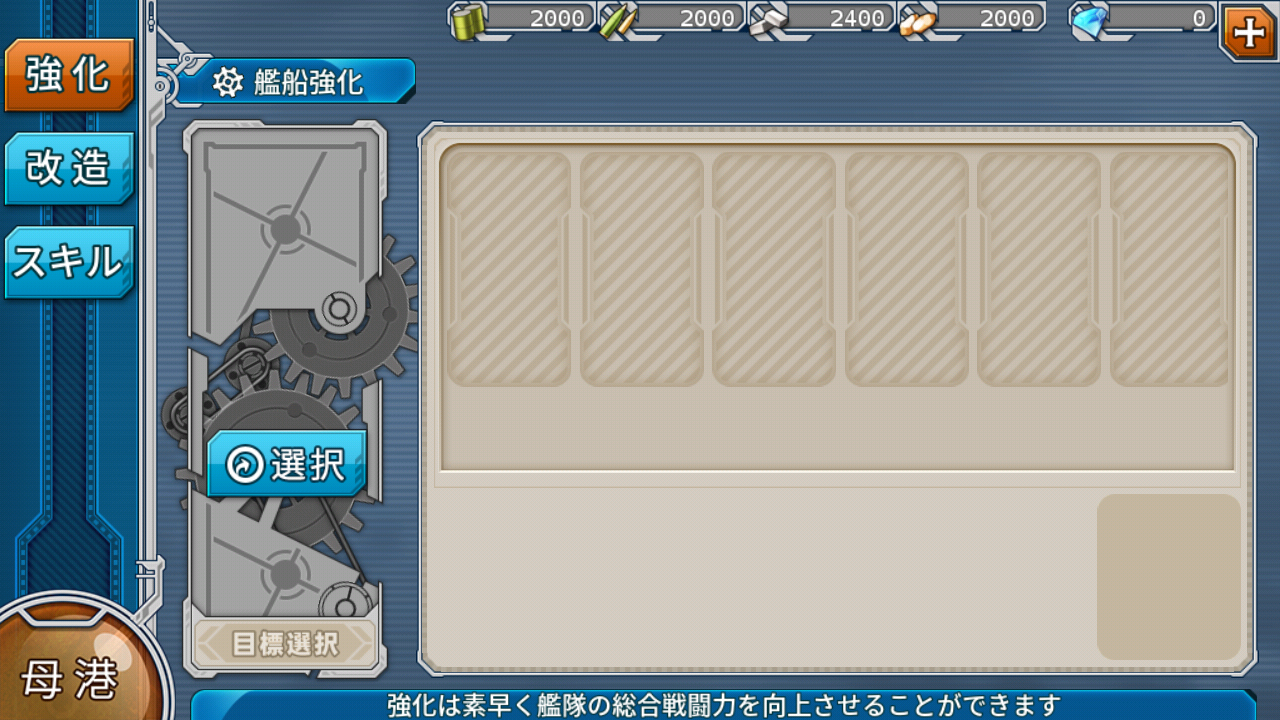
Refit allows you to strengthen and modify your ship.
Reinforcing" can raise the status of a ship, giving it an advantage in battle. The ship can be locked to prevent it from being used as bait.
Modification" allows you to modify your ship using a number of modification cores obtained during a battle. Modifications can also increase a ship's status or teach it special skills.
One of the main features of the game is the "skill" system. Skills have different abilities for each ship. They can be activated during battle to give you an advantage, gain more experience, and more.
anchorage
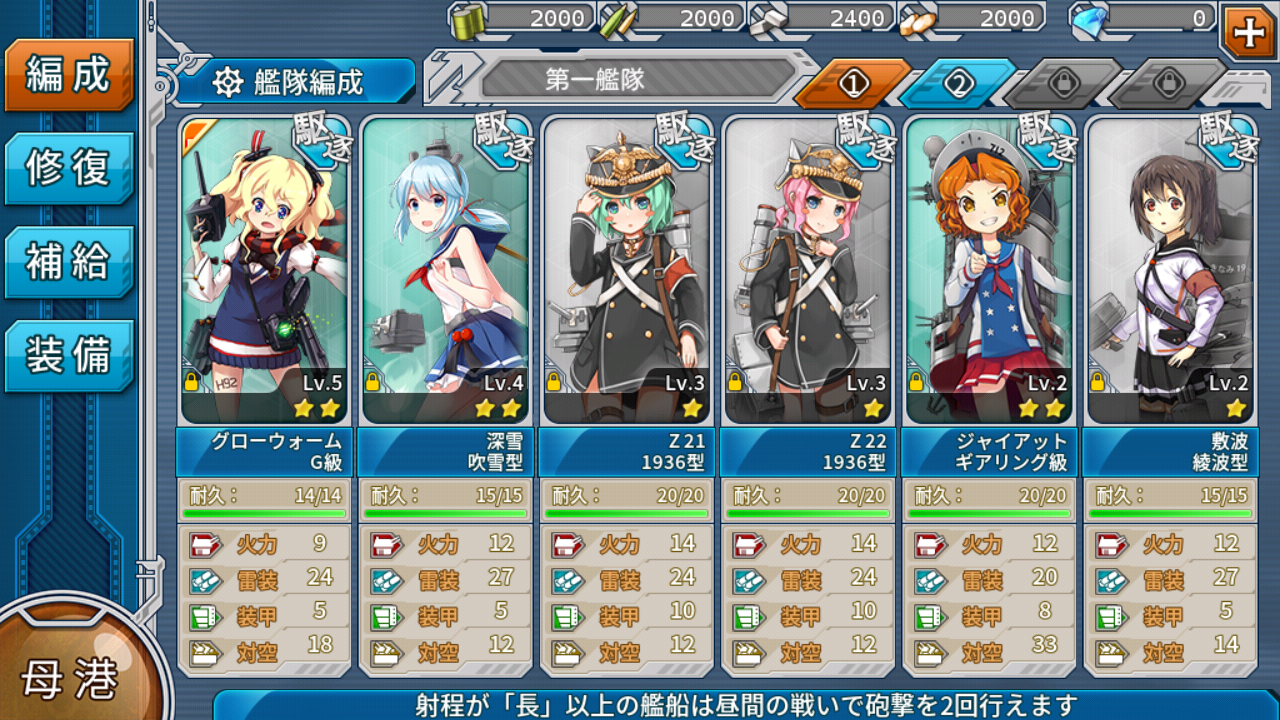
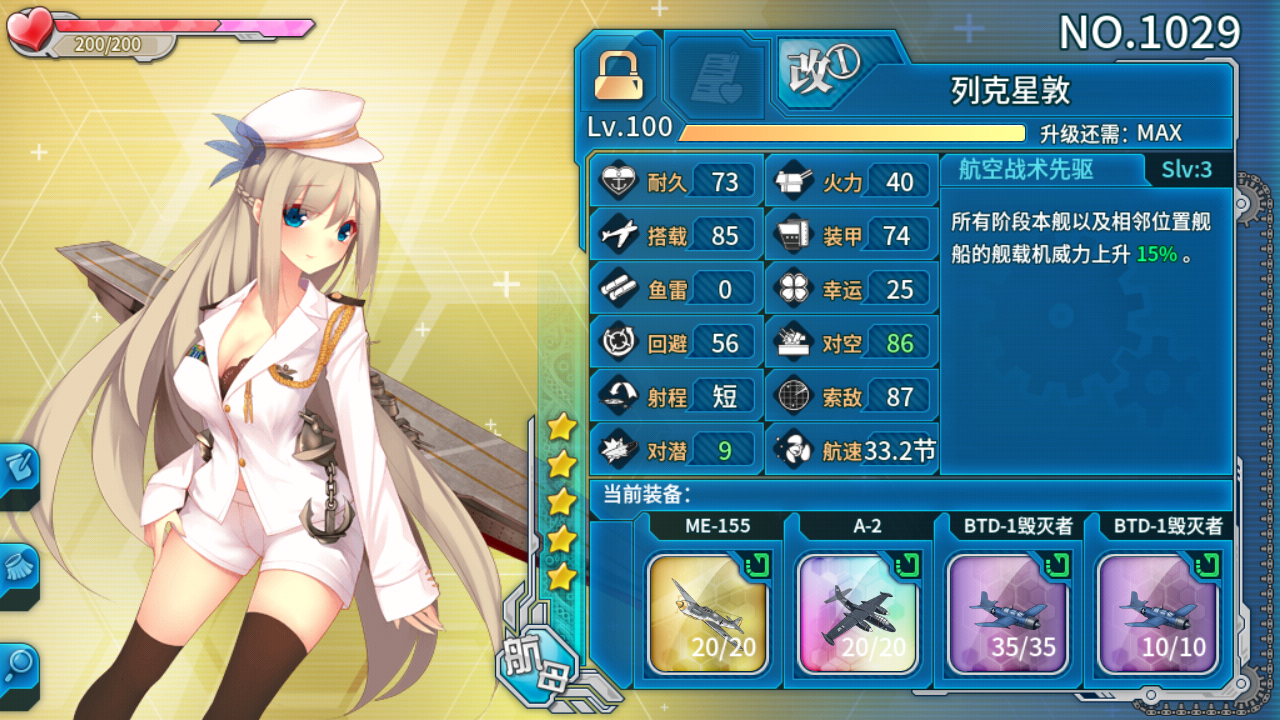
This is the so-called ship management screen.
Here you can organize, repair, supply and equip your fleet.
The "Formation" screen allows you to organize your fleet, from 1 to 4 ships. Normally, you would spend a lot of time removing and replacing ships one by one, but one of the features of this game is "Rapid Formation". In the "Rapid Formation" mode, you tap each ship in order and press "Done", and your fleet will be arranged in the same order as before.
The "Repair" feature allows you to repair ships damaged in battle over time. Up to four ships can be repaired.
Replenish" replenishes fuel and ammunition for each ship sent to battle. Carriers also consume baux by the way.
Equip" allows you to equip or unequip your ship with equipment that will change its status.
marriage system
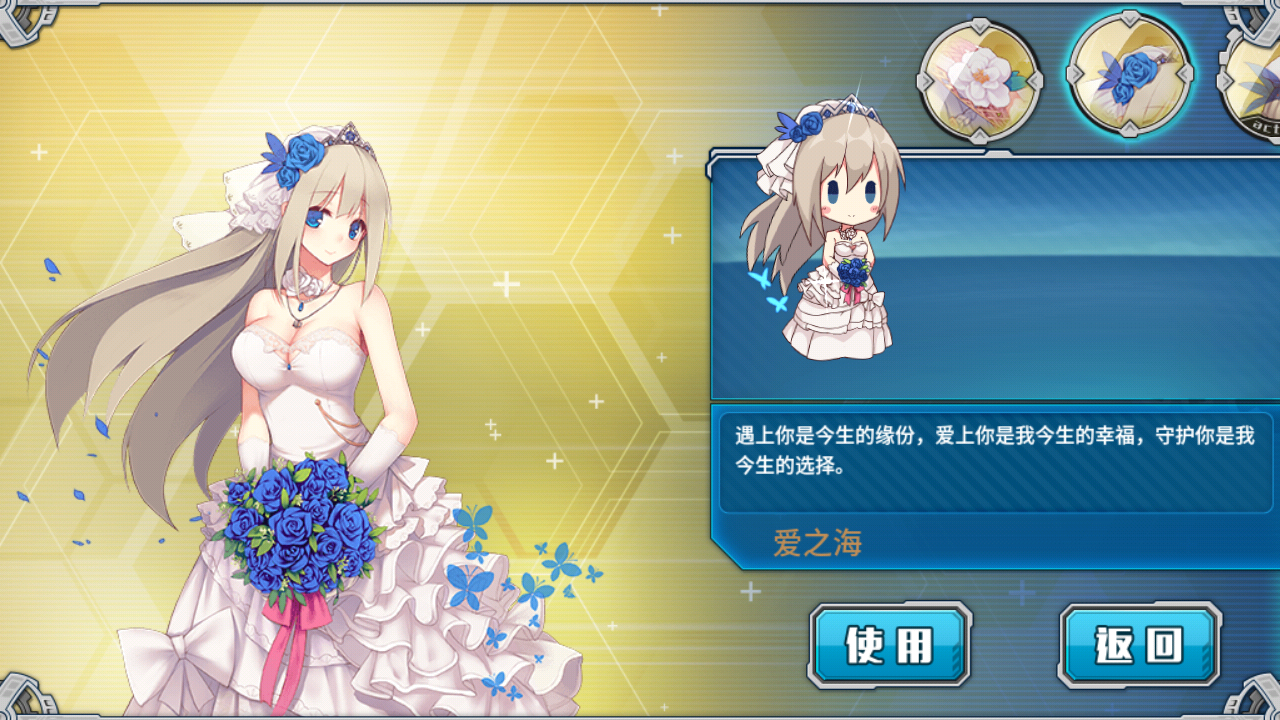
Battleship Girl has a marriage system.
There are conditions for marriage, and the likability level must be 100. Once you have reached the maximum likability level, you can get married by handing over the ring on the status screen.
Once married, the maximum likability level will increase to 200 and various advantages will be added.
There are various ways to increase the likability, such as making her a secretary, sending her on an expedition, or sending her into battle.

Contents
- Outline of "Battleship Girl R
- Contents
- home port screen
- Main Buttons
- sortie
- construction
- remodeling
- anchorage
- marriage system
- Live2D
- battle screen
- Initial selection of characters
- glow worm
- Frederica.
- gearing
- blizzard
- Terms for "Battleship Girl R
- P7 Conspiracy.
- 1:25:00
- Chinese quince (Chaenomeles sinensis)
- phantom moe explosion
- 0v0
- Backstory, trivia, small stories/episodes, and anecdotes about "Battleship Girl R
- Copyrights
- reimportation
- Items for "Battleship Girl R
- Fast Repair
- high-speed construction
- pants
- diamond
- video