

Mobage" and "GREE" are well-known social networking sites that offer games for smartphones. However, there are people who say, "I don't have a smartphone! or "I prefer to play games on my PC! I want to play games on my PC! For those people, we have compiled a guide on how to play smartphone games on your PC. Let's give it a try today!
Flow
Google Grome: A Web Browser That Can Fake UA
2: Install plug-in "Ultimate User Agent Switcher"
3: Access to Mobage and GREE disguised as "Android 2.3"
Google Chrome: Fake UAs
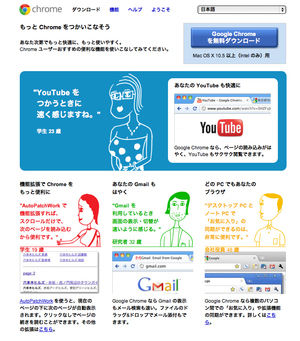
Google Chrome
http://www.google.co.jp/chrome/
Visit the URL above.
Download and install the software from "Google Chrome free download".
* Google Chrome is a fast and nimble web browser. It is recommended for both Windows and Mac users.
2: Install plug-in "Ultimate User Agent Switcher"
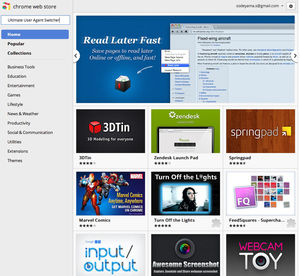
Visit the Chrome Web Store
https://chrome.google.com/webstore/category/home
Search for Ultimate User Agent Switcher.
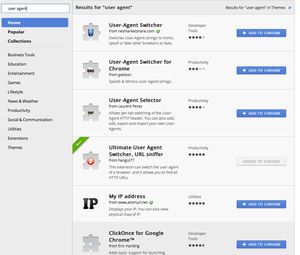
Download and Install the Ultimate User Agent Switcher
There is a plug-in with a similar name, but there is no mistake.
Ultimate User Agent Switcher
Icon. This is the round red icon.
3: Access to Mobage and GREE disguised as "Android 2.3"
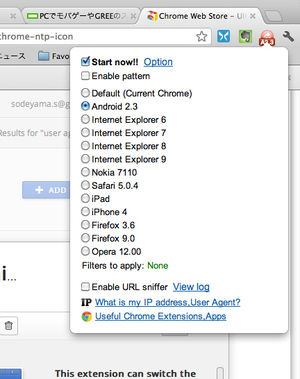
UA Settings
When the Ultimate User Agent Switcher is installed, a red icon appears to the right of the menu bar.
Icon and check "Start now!"
Check "Android 2.3" and complete the setting.
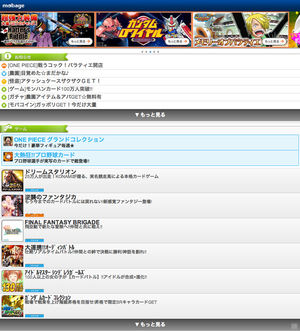
Access to Mobage
Copy and paste or type the following URL.
http://sp.mbga.jp
When you access the site for the first time, you will be asked for your mobile phone address and password.
I could access it with my PC.
Google Chrome can open multiple tabs, so it works well! It is very useful for the Odin battle.
You have games that you can't access?
Recently, some games have limited access to this UA (= User Agent) impersonation.
In that case, you can access it by installing an additional Google Chrome plug-in called "Social Game Viewer".
Workflow
1: The plugin "Social Game Viewer" is installed on Google Chrome.
2: Access the game in the Social Game Viewer.
1: The plugin "Social Game Viewer" is installed on Google Chrome.
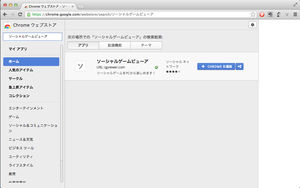
Search for "social game viewer" in Google App Store
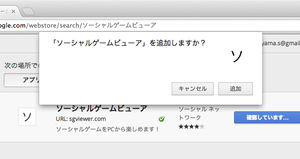
Install Application
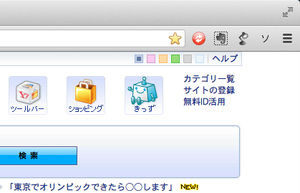
Check that the "R" mark is on the menu bar.
2: Access the game in the Social Game Viewer.
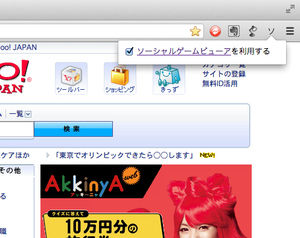
Launched the Social Game Viewer.
Be sure to check the check box before launching the social game viewer.
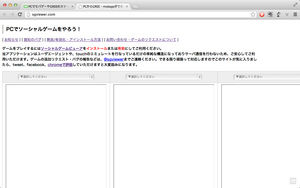
Social Game Viewer screen.
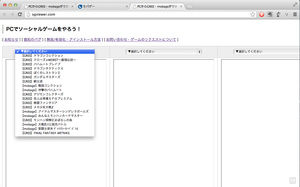
Launch a game from a shortcut.
You can choose games that cannot be accessed using the UA impersonation method.
Up to 3 screens can be opened.
It's quite convenient.
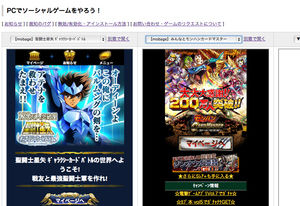
Play the game.
You can play all the games other than the ones on the list.
If there is a social game viewer, everything seems to be enough.
* In addition, there is no illegality or violation of the rule in the method introduced, but please play at your own responsibility.
